EDGEGO
PROLIGHTS

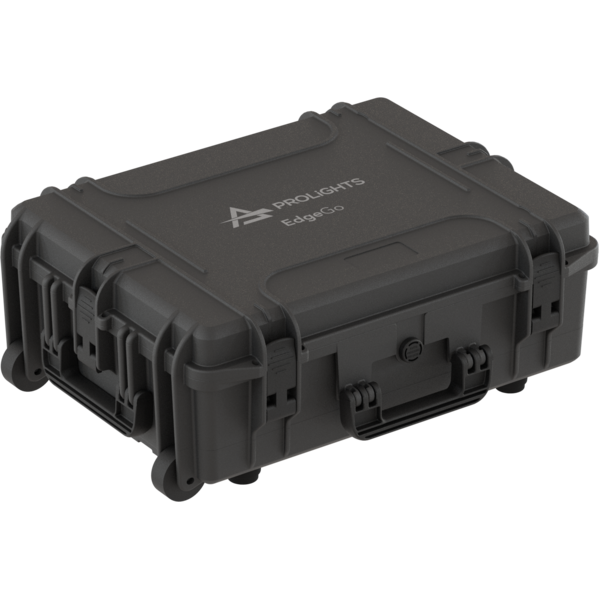
EdgeGo new

ORDER CODE: EDGEGO

Portable 4-Universe Console, Battery & Wireless Connectivity, 6 Playback Faders

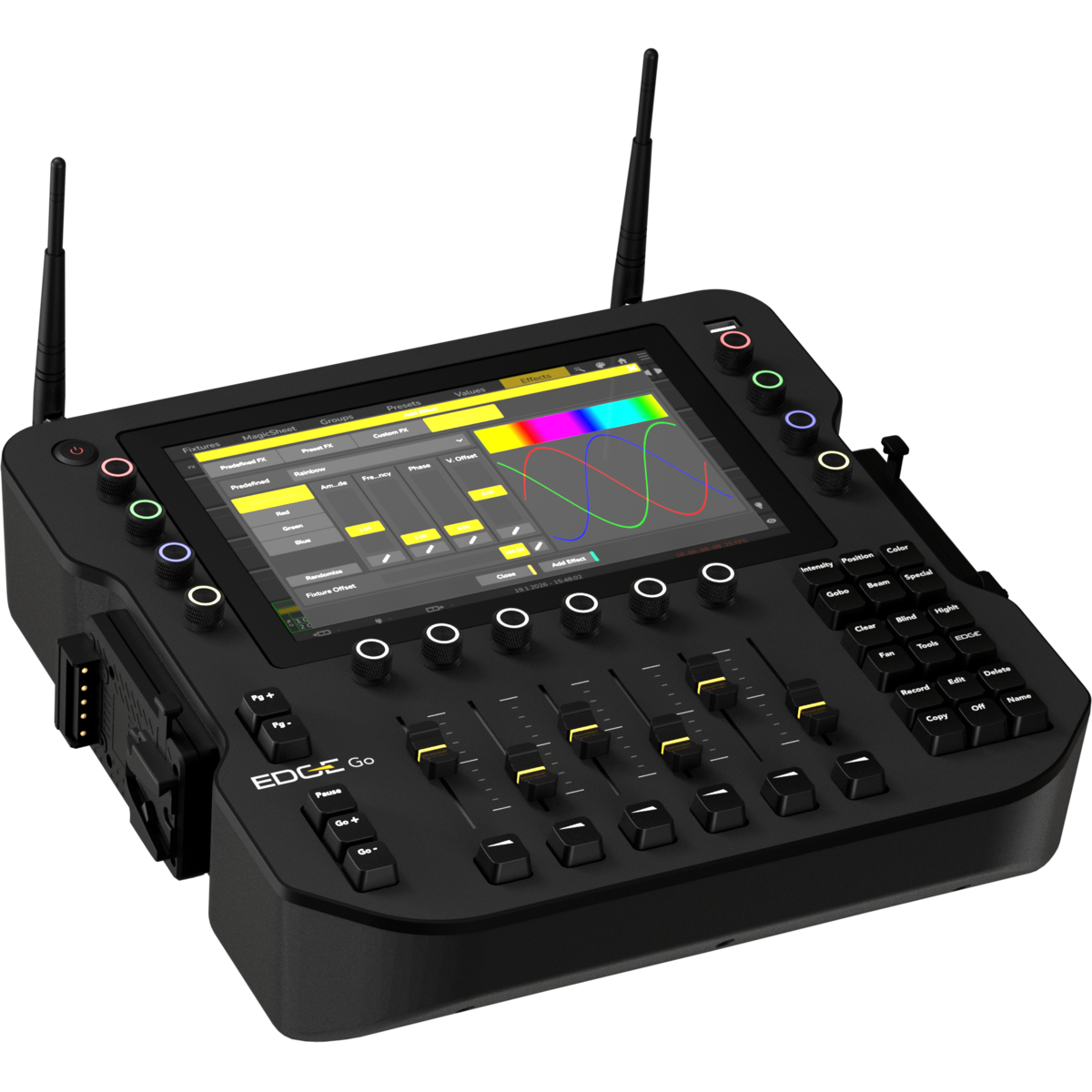
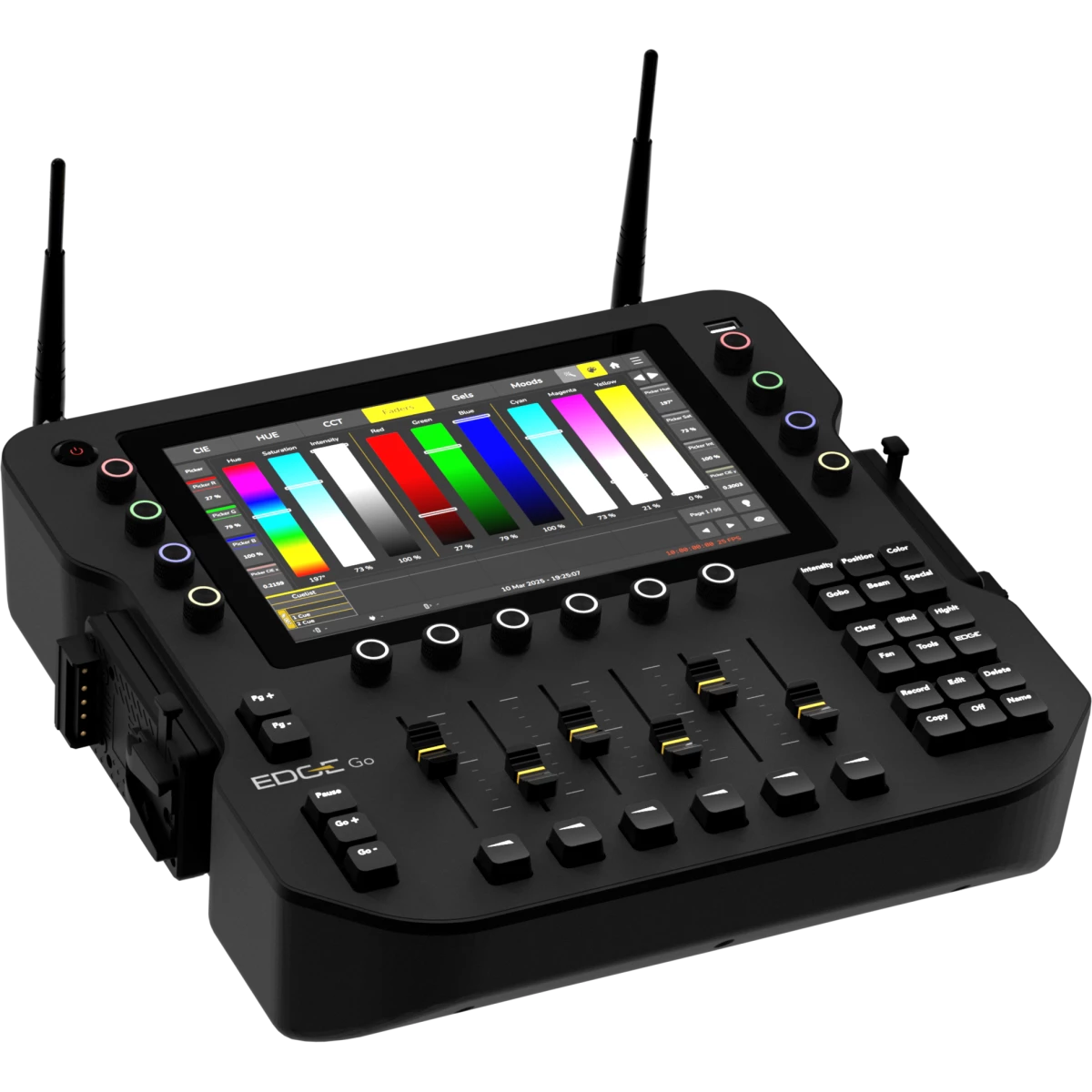
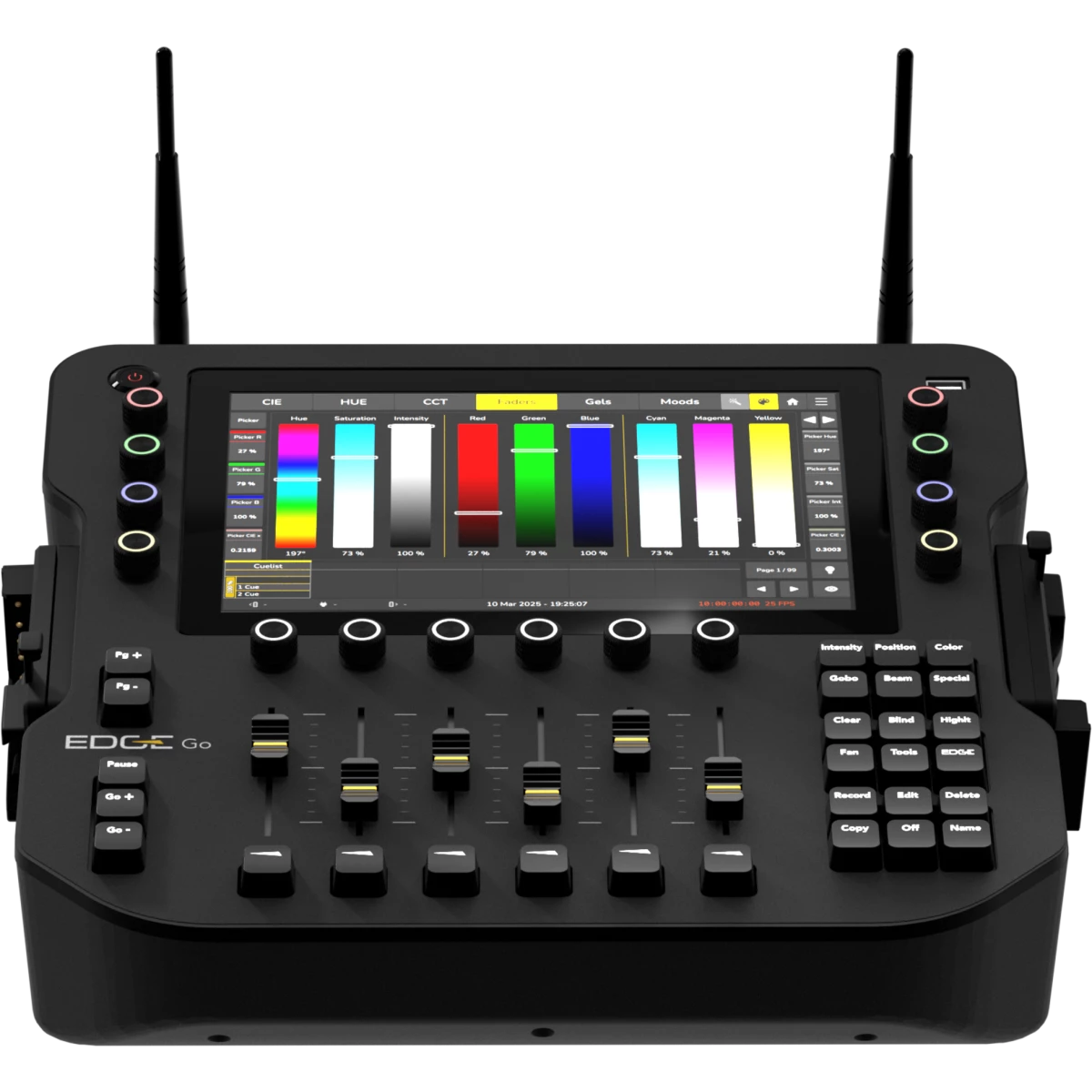
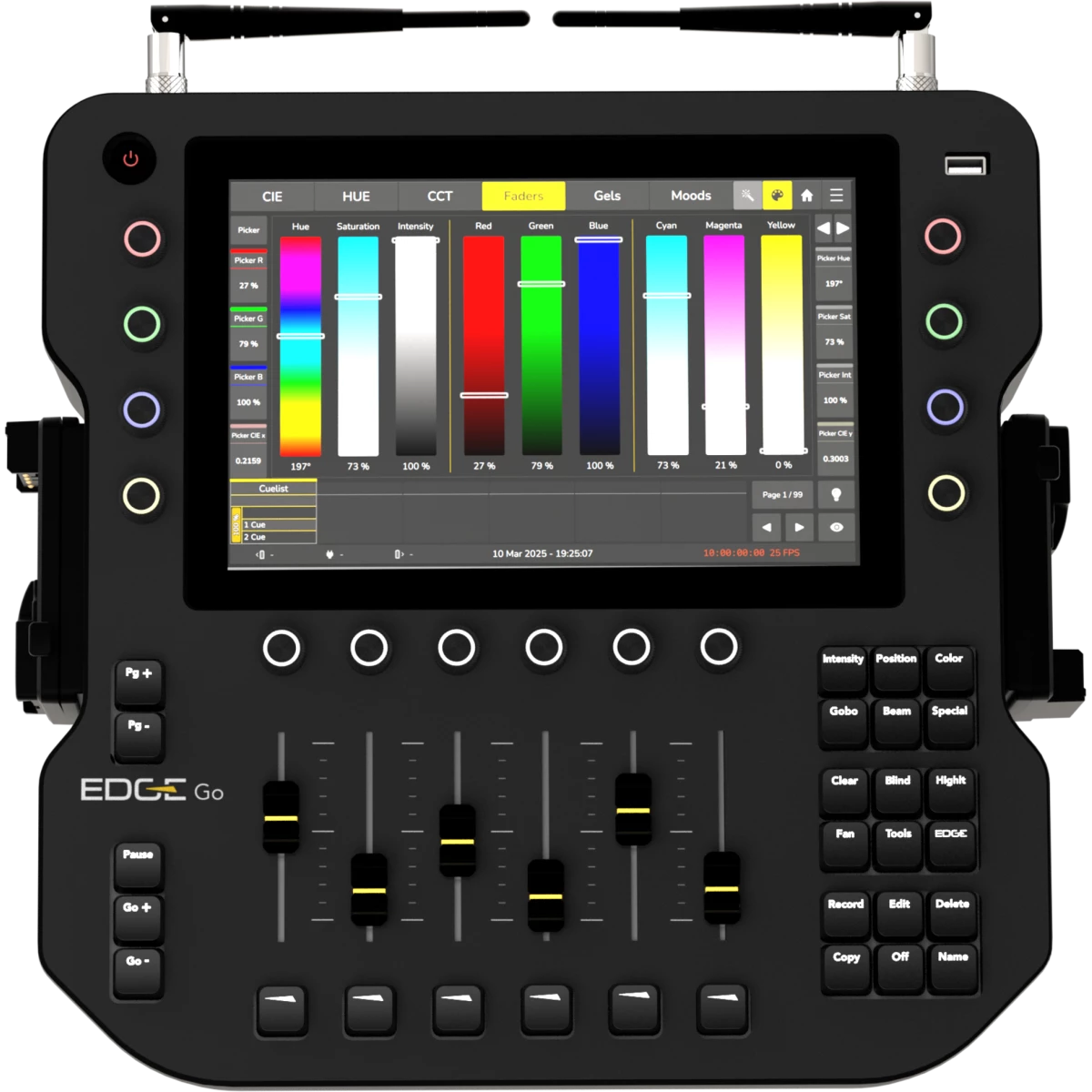
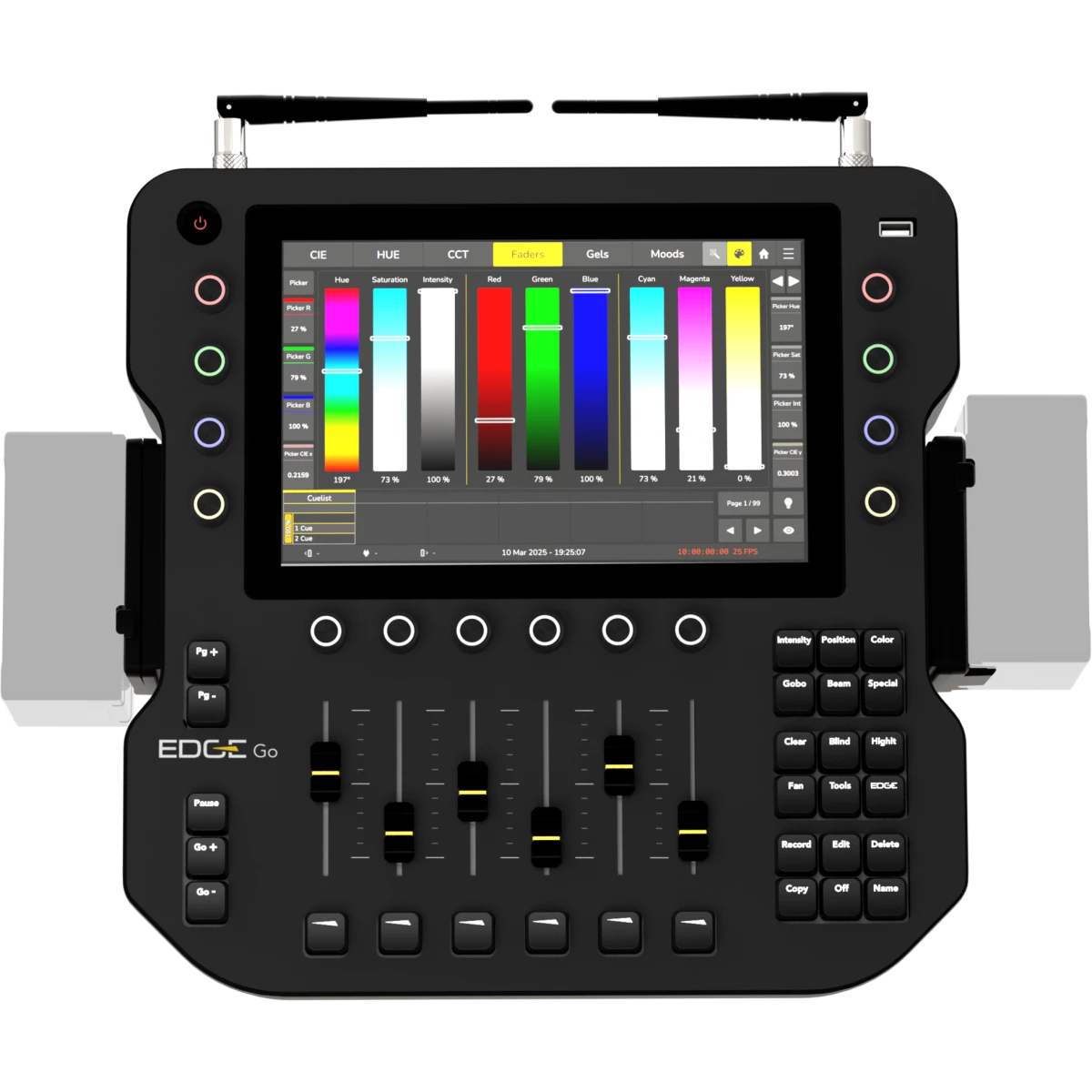
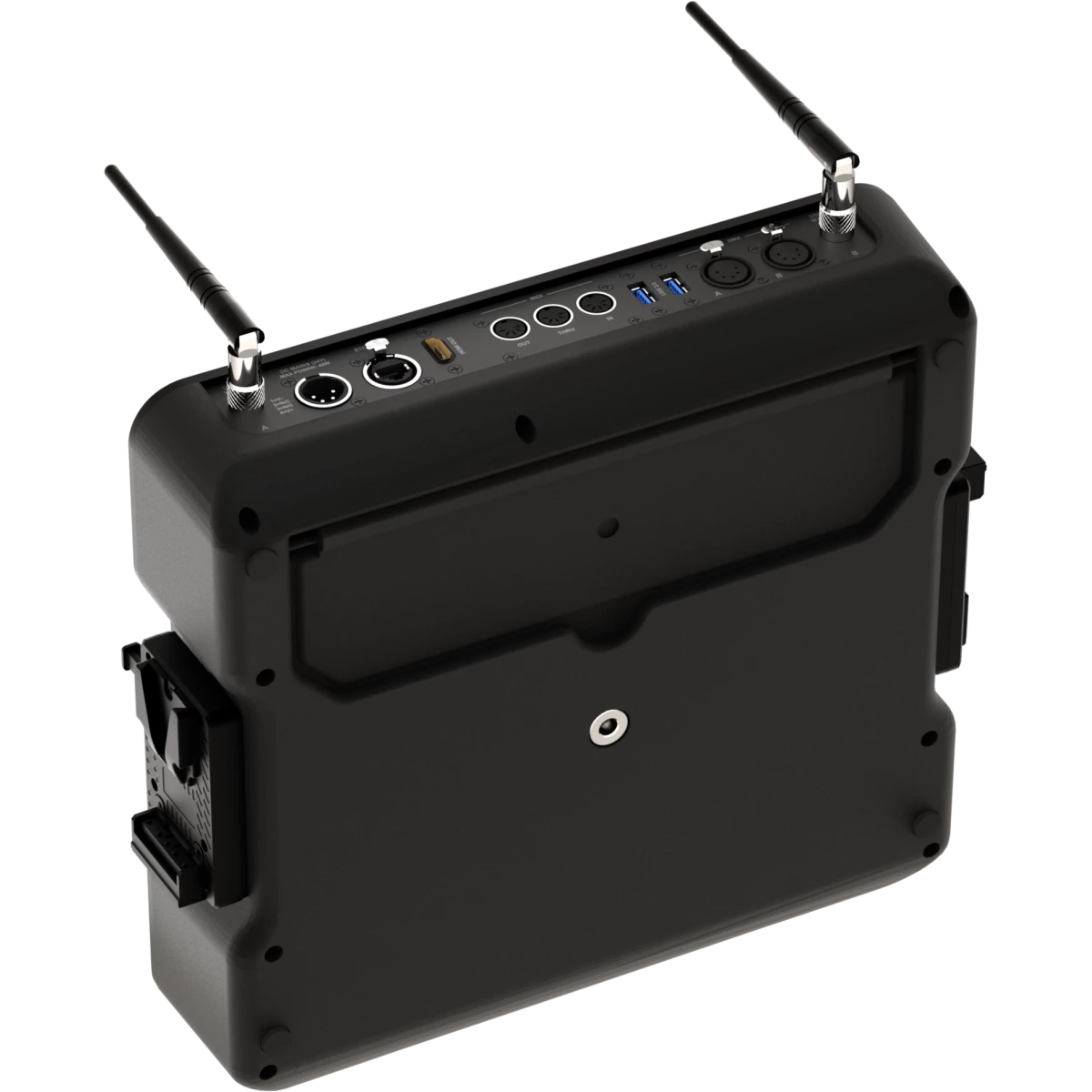
EdgeGo is a portable lighting console designed for professional use on location or in the studio. It delivers four DMX universes, with output via wireless CRMX, XLR, or Ethernet (Art-Net/sACN). The hardware features a 10.1" touchscreen, 8 RGB encoders, 6 playback faders, and an HDMI output.

EdgeGo operates on V-Mount batteries or a 24 V DC supply, and its lightweight, fan-free chassis is built from reinforced polycarbonate to comply with carry-on luggage standards.

  • Seamless Energy Source Switching: Automatically switches between power sources without requiring a restart.
  • Extensive Fixture Library: Includes 30.000+ fixture types and a built-in fixture editor.
  • Advanced Color Management: Accurate color calculations for up to 9 emitters using xyY data.
  • Comprehensive Color Selection Tools: Features CIE Picker, HUE Picker, CCT Picker, faders, gels, and mood-based selection.
  • Powerful Playback Engine: Unlimited simultaneous active cue lists, Tracking and non-tracking modes, Priority-based operation, Automatic synchronization of running effects
  • Customizable Fader Layout: Configure faders, buttons, encoders, and push encoders to suit your workflow.
  • MagicSheet Interface: Freely arrange and interact with fixtures, groups, labels, and images.
  • Programmer Tools: Includes Fanning, Sub-Selection, Highlight, and Blind mode for efficient programming.
  • Dynamic Effect Engine: Features predefined effects, preset-based effects, and a custom effects editor.

Main features:

    {DESC_CARATTERISTICHE}

PHOTO GALLERY

Technical specifications

CONTROL SURFACE
  • On-board Screen: 10.1” Full Color Touchscreen
  • Playback Faders: 6 linear faders
  • Playback Encoders: 6 rotary push-encoders with RGB backlight
  • Value Encoders: 8 rotary push-encoders with RGB backlight
SOFTWARE
  • DMX Channels: 2048ch
  • DMX universes: 4 DMX universes freely mappable between CRMX, DMX, ArtNet, s-ACN
  • Playback Pages: 99 + 1 Template Page
  • Memories: 250 Presets per Feature Group, 100 Fixture-Groups
  • Max Fixtures: Limited by DMX Channels
  • External Control: MIDI trigger. MIDI Timecode, OSC
  • Software update: via USB stick or online server (requires internet connection)
  • Library update: via USB stick or online server (requires internet connection)
CONNECTIVITY
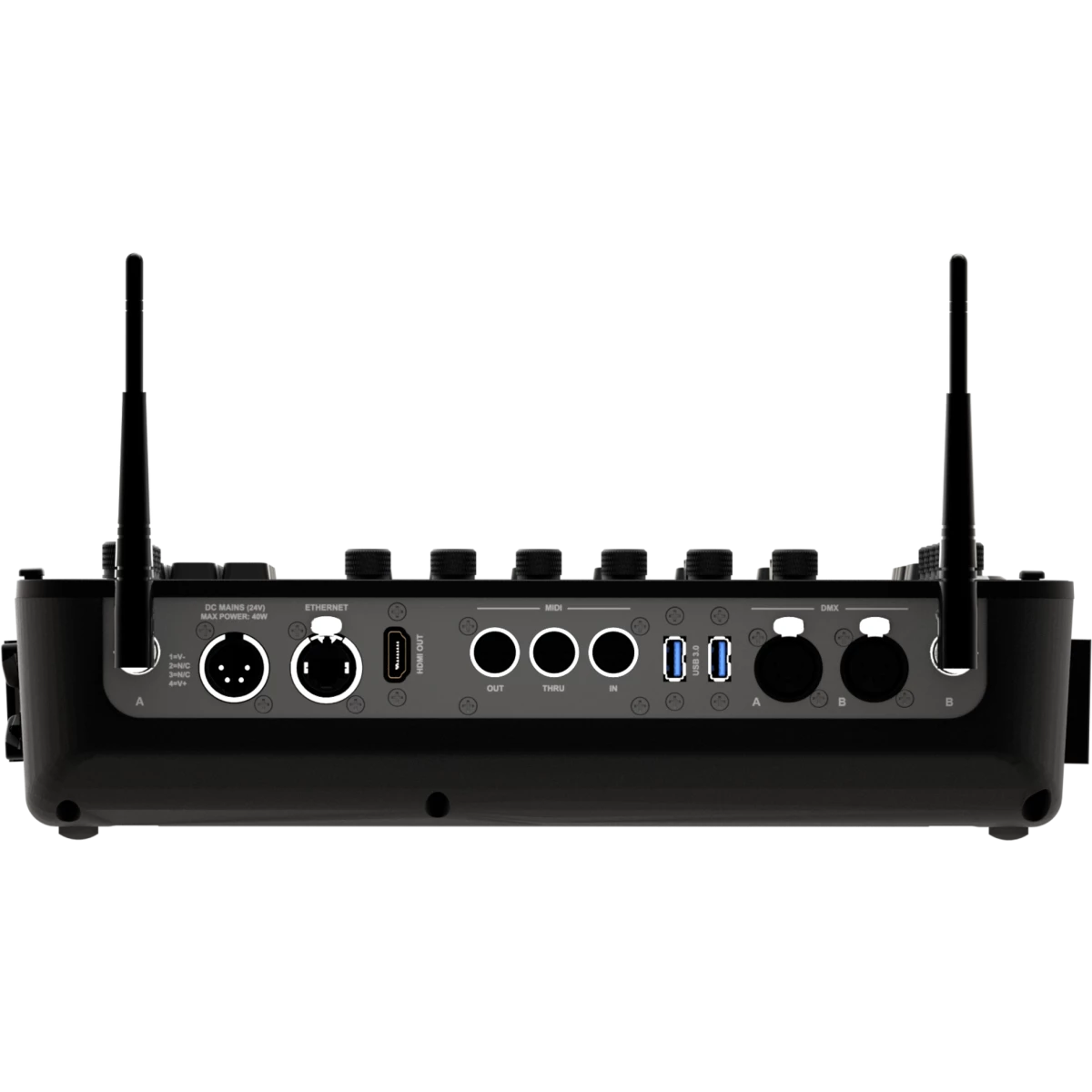
  • DMX out: 2 freely mappable
  • ArtNet: 4 universes, freely mappable
  • sACN: 4 universes, freely mappable
  • MIDI: In / Through / Out
  • Wireless: 2x DMX universes freely assignable to any of the TimoTwo LumenRadio modules - CRMX or W-DMX, with Bluetooth support
  • External Display: 1 HDMI out
BATTERY
  • Battery: 24V compatible with external power supply and V-Mounts batteries (14.4-28.8Vdc) - battery not included
CONNECTIONS
  • Signal connection: 2 x Seetronic XLR 5p OUT connector
  • Wireless Connection: 2x integrated LumenRadio TimoTwo FX (full RDM) - CRMX, CRMX² (RX only) and W-DMX compatible, Bluetooth enabled
  • Wireless Antenna: 2 RP-TNC female connector
  • Data connection: 1 x RJ45 IN/OUT
  • Data: 3 x USB ports (1 on the top, 2 on the back)
  • Low Voltage DC connector: XLR 4P for 24V, 2 x V-Mount adapter (14,4V)
ELECTRICAL
  • Low Voltage DC mains: 24V via DC IN through external power supply, 14,4-28,8V with V-Lock batteries connection
  • Max power consumption (230V): 40W
  • Standby power: 23 W
PHYSICAL
  • IP rating: IP20
  • Cooling: passive, fan-free
  • Housing: Sturdy polycarbonate body
  • Finish: black
  • Operating temperature: Ta 0 to +45 °C (+32 to +113 °F)
  • Dimensions (WxHxD): 374x98x356mm / 14.72''x3.86''x14.02''
  • Weight: 4,1kg / 9.04lbs
INSTALLATION
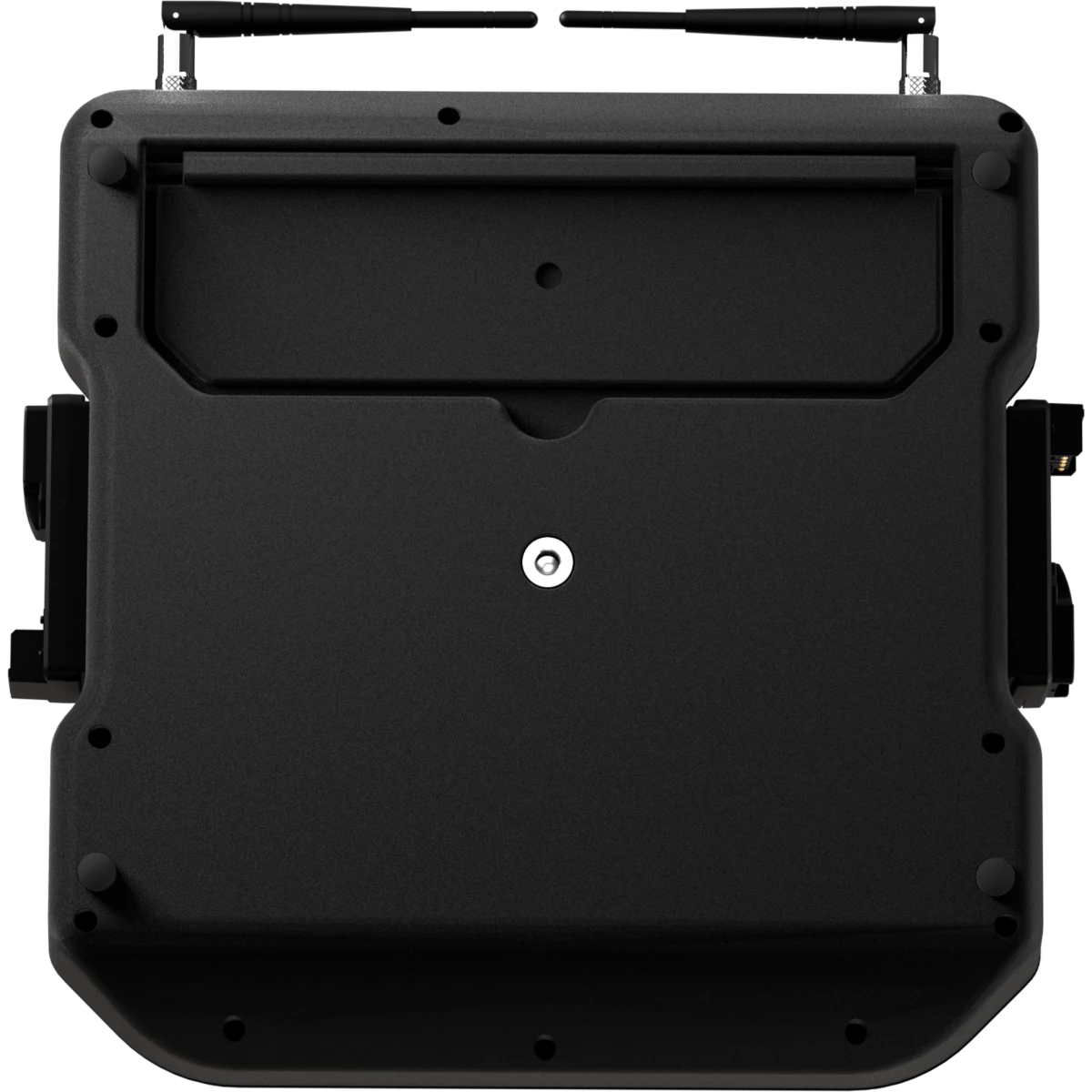
  • Hardware on-board: tilt adjustment bar
CERTIFICATIONS / REPORTS
  • Compliance: CE, RCM, FCC, cTUVus
BOX CONTENT

Versions

Accessories & Related Products

AEB2DBA
AEB2DBA
(Included)
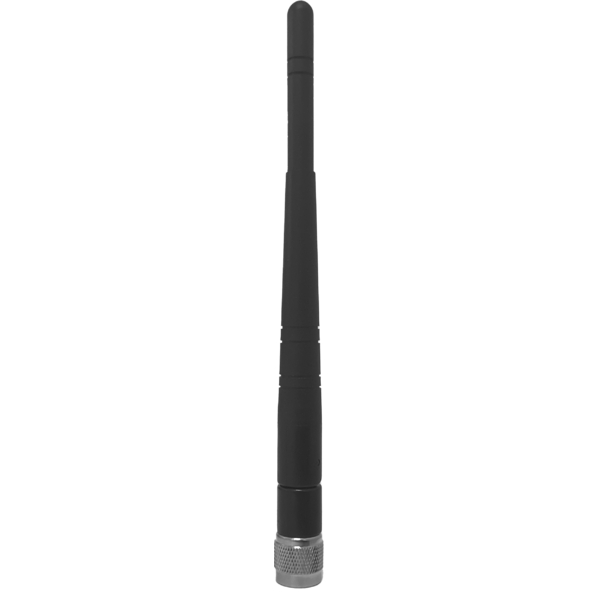
2 dBi Omni antenna (RP-TNC male connector) for AETHERBOX and CRMXBOXIP67
VDE15BEL010
VDE15BEL010
(Included)
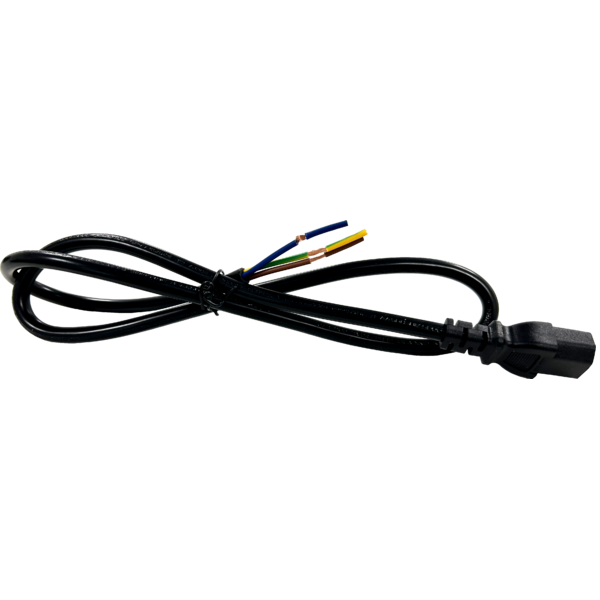
Power cable VDE socket, bare-end, 3 X 1,5mm², L.1m
EDGEGOBAG1U
EDGEGOBAG1U
(Optional)
Empty ABS case for 1 pc of EDGEGO

DOWNLOAD

Data sheet & specs

File name File size Download
Letter datasheetEdgego_LETTER_DATASHEET_(EN).pdf(17/09/2025)514KB
Letter datasheetEdgego_A4_DATASHEET_(EN).pdf(20/05/2026)547KB

User manual

File name File size Download
User manualEdgego_Quick_Guide_EN.pdf(04/09/2025)2MB
Online user manual

DMX chart & personalities

File name File size Download

Photometrics

File name File size Download

CAD symbols & drawings

File name File size Download
3D SKPEdgego_3D.skp(08/01/2025)3MB
3DEdgego_CAD_3D.dwg(08/01/2025)1MB
2DEdgego_CAD_2D.dwg(10/01/2025)8MB
2D cad symbolsEdgego_CAD_2DSYMBOLS.dwg(10/11/2025)46KB
Technical drawingEdgego_TECHNICAL_DRAWING.pdf(10/01/2025)745KB
VectorWorksVECTORWORKS_SYMBOLS.vwx(10/11/2025)802KB

Tech docs

File name File size Download

Software

File name File size Download

Firmware

Update Tool: {Upbox}
Check hardware changelog before downloading firmware
Revision Release date Firmware changelog HW Compatibility
1.1.1 STABLE 26/05/2026

Bugfixes:

  • Fixed an issue where Network Settings allowed Apply without a valid IP address or subnet
  • Fixed an issue where Special Master minimum and maximum ranges could not be adjusted
  • Fixed an issue with enabling and disabling zero cues
  • Fixed an issue where the sACN Priority column was automatically incremented
  • Fixed an issue where “Select Fixtures with Values” did not include fixtures running effects
  • Fixed overly sensitive pinch zoom behaviour in MagicSheet
  • Fixed an issue where Record Mode was not reset to Default after recording a preset or cue
  • Fixed an issue where Desklock Settings displayed an image that was no longer available on the console
  • Fixed an issue where the MagicSheet arrangement scrollbar did not match the available column count
  • Fixed an issue where “Synchronize Cue Start to Beat” did not stay enabled after activation
  • Fixed an issue where cuelist names and appearances were not always saved correctly
  • Fixed an issue where the Group Pool unexpectedly scrolled after recording, copying, moving, or deleting groups
  • Fixed an issue where Add Fixtures Patch Preview and Instance Preview Table did not show user numbers for existing fixtures
  • Fixed an issue where “Synchronize Cue Start to Beat” in Chaser Settings did not work correctly
  • Fixed an issue where linked attributes could not be deselected in the programmer widget
  • Fixed an issue where OFF (Running) FX menus sometimes opened without an active feature group
  • Fixed an issue where MIDI input settings were not cleared in new shows
  • Fixed scrollbar issues in the log file view
  • Fixed an issue where Default Timings were applied to incorrect feature groups
  • Fixed a missing Reset button in the Default Timings keypad
  • Fixed missing default backlight colors for Cuelist Speed, Cuelist Fade, FX Speed, and FX Size faders
  • Fixed an issue where AutoStop did not work correctly on disabled faders
  • Improved performance when opening shows
  • Fixed an issue where command line dialogs opened on the wrong screen after entering complete commands
  • Fixed occasional errors when using FaderPage+ and FaderPage-
  • Fixed overlapping fixture names and function labels in fixture patch previews
  • Fixed an issue where Patch Export could generate incorrect DMX addresses
  • Fixed an issue where entering “Pause” in the command line could freeze the application
  • Fixed an issue where automatic cuelist generation could fail or overwrite existing cuelists
  • Fixed an issue where recording beyond Group 10000 could fail
  • Fixed an issue where names using dotted numbering formats (for example 02.03) were saved incorrectly
  • Fixed an issue where cuelists in Chase Mode did not output data correctly
  • Fixed incorrect default values for time increase and decrease button actions
  • Fixed incorrect default multiply and divide values
  • Fixed an issue where assigning existing items in Record dialogs still showed “Record” as the confirm button
  • Fixed an issue where ramp up and ramp down values in effects were displayed incorrectly
  • Fixed an issue where AutoStart triggered from any fader movement instead of only from zero
  • Fixed an issue where Group and Preset 10000 could not be recorded
  • Fixed an issue where the scrollbar did not move to newly added faders in fader layouts
  • Fixed an issue where Template Page appearances could not be changed and pages could incorrectly be moved
  • Fixed an issue where the programmer lost priority when absolute OFF effects were active
  • Fixed an issue where newly created pool items did not immediately appear in matching searches or filters
  • Fixed an issue where dragged color faders could jump under the finger when many fixtures were selected
  • Fixed an issue where WDMX status could appear as “Unknown” after boot
  • Fixed an issue where decimal values in MagicSheet item positions were ignored
  • Fixed missing dimmer percentage display for single dimmer bar fixtures
  • Fixed an issue where keypad list selections applied values immediately instead of entering them into the keypad field
  • Improved color conversion performance
  • Increased dimmer bar size for fixtures with dual dimmers
  • Fixed missing percentage displays for fixtures using only Dimmer 1 and Dimmer 2
  • Fixed an issue where FX Speed Master TapSync did not work from playback buttons
  • Added support for deleting multiple images by long-pressing the delete button
  • Fixed an issue where triple clear could reactivate OFF encoders
  • Fixed show export dialogs closing before exports were completed and added export status information
  • Fixed an issue where presets could not be selected for FX Size minimum and maximum values
  • Fixed an issue where empty presets in FX preset pools displayed the wrong state
  • Fixed an issue where the title of dialogs when configuring FX Size Masters showed "Not Available"
  • Fixed an issue where Special Master Names where not cleared when starting a new show
  • Made Images in Show dialog a tiny bit less high to be able to see the Command Line below
1.1.0 STABLE 03/02/2026

New Features:

  • Added ability to Copy / Move cues between Playbacks using the Command Line, eg Copy Playback 1 Cue 1 Playback 4 Cue 10 (https://prolights-edge.nolt.io/95)
  • Added the ability to exchange fixture types (https://prolights-edge.nolt.io/160)
  • Display Screen resolution needed for desklock image in desklock image settings (https://prolights-edge.nolt.io/189)
  • Add "New Show" Button to Shortcuts Page (https://prolights-edge.nolt.io/175)
  • Edge + Master Go / Back buttons should skip without timings (https://prolights-edge.nolt.io/188)
  • Shift + Playback or Executor Button should select that Playback (https://prolights-edge.nolt.io/131)
  • Delayed activation of Highlite / Blind Buttons in UI (https://prolights-edge.nolt.io/182)
  • Display Values Tab Split with a fixture Pool on external screen (https://prolights-edge.nolt.io/135)
  • Fixture at fixture for programmer values (https://prolights-edge.nolt.io/140)
  • Multi Fixture Select (https://prolights-edge.nolt.io/139)
  • Playback Button Action: Add "Select Fixture" entry (https://prolights-edge.nolt.io/136)
  • Playback Button Action: Add "GoTo" entry
  • Playback Button Action: Add "Ask for Cue" entry
  • External Monitor can now be rearranged and the resolution can be set (https://prolights-edge.nolt.io/132)
  • Cloning (https://prolights-edge.nolt.io/55)
  • Open numeric keypad / numberblock for fixture and item selection (https://prolights-edge.nolt.io/40)
    • A keypad has been added to the tools dialog.
  • Add Master Speed, Size, Fade Faders (https://prolights-edge.nolt.io/20)
  • Added Tables to Special Master Settings in Show Options for configuration
  • Indicate Disabled State in Playback Items for CL Speed and FX Speed
  • Changing / Seeing the fixture order in a Group (https://prolights-edge.nolt.io/10)
  • Long Pressing Color FG Button on Frontpanel should open Color Picker (https://prolights-edge.nolt.io/169)
  • Pressing a Feature Group Button should go back to Main Swipe View (https://prolights-edge.nolt.io/169 and https://prolights-edge.nolt.io/184)
  • Battery charge level is now indicated in the status bar icons (https://prolights-edge.nolt.io/122)
  • Add ability to record a Cue to a specific number (https://prolights-edge.nolt.io/159)
  • Added a fixture selection toolbar to most internal screen windows. Toolbar is always displayed in external screen status bar (https://prolights-edge.nolt.io/195)
  • Shift + FaderPagePlus and Shift + FaderPageMinus Buttons should be cycling between next and previous fixture (https://prolights-edge.nolt.io/133)
  • Improved support for touch screens (Mouse emulation touch screens are now supported, better compatibility with many touch screens)
  • Opening of Dialog Windows in either the internal screen or in the screen that was last interacted with (User Option)
  • Edit Dialogs can be opened via long press menus
  • Copy is now accessible via Long press menus
  • Move is now accessible via Long press menus
  • Added new Color FX Editor for RGB Fixtures
  • Patch can now be exported as CSV
  • Value table cells can now be selected and edited directly
  • Pools can now be navigated using a USB Keyboard (Arrow Keys, Enter)
  • Tables (incl. Cuelist View) can now be navigated and edited using a USB Keyboard (Arrow Keys, Enter)
  • Fan is now turned off when clearing the programmer
  • Fan is now turned off when changing Feature Groups
  • MagicSheet: Improved performance
  • MagicSheet: Handle handle Handling better and make snapping snap snappier
  • MagicSheet: Group items should display "Grp nr" instead of only the number
  • MagicSheet: Allow adding multiple Group Items for the same group to the same sheet
  • MagicSheet: Rework selection order to include all item types
  • MagicSheet: Encoders can now be used in Edit mode for positioning of items and arranging
  • MagicSheet Labels: Curated predefined Colors and more sliders (RGB, CMY; HSI)
  • Item Appearance: Curated predefined Colors and more sliders (RGB, CMY; HSI)
  • Preset Icons: Curated predefined Colors and more sliders (RGB, CMY; HSI)
  • It is now possible to deselect the currently selected Cuelist
  • Playback Autostart / Autostop for disabled faders / encoders is now a user choice
  • Add Buttons to enter values using a Keypad to Color Faders
  • Add "All FX OFF" option to Add Predefined Effects Tab
  • Naming of Items: When only a number is entered as a name, the number should be autoenumerated, too
  • Subnet Mask Keypad Dialog: Add Predefined List of common subnets
  • DNS Keypad Dialog: Add Predefined List of common DNS Servers
  • Gateway Keypad Dialog: Add Predefined List of common Gateways
  • Single Click on Playback / Fader Label should also open Record Dialog
  • Color Picker: CIE, CCCT and HSV picker handles should react to keyboard events
  • Add Close Button to Dialog Title Bar
  • Moving Faders no longer switches off the Playback
  • Add ability to Park Fixtures (Freezes all Values). State is not saved persistently.
  • Indicate Parked Status for Fixtures in Fixture Pool
  • Trigger Long-Press Actions also on Right Mouse Click
  • Add a universe filter to patch table
  • Timecode Validator should be able to validate HH:MM:SS:ff format
  • Add Ranges to Virtual Shutter Channels
  • Off followed by pushing an encoder or encoder label for a fixture function should remove value from programmer
  • Moving items onto existing items now swaps both
  • Playback Pages can now be copied
  • Playback Pages can now be moved freely using Move Button
  • Playback Pages now support appearance
  • Playback Page Button now displays current Page Color
  • Effects in Programmer are displaying the "In Programmer" Indicator in Fixture Items
  • Cuelist View: Cues can now be moved by changing their numbers
  • Cuelist View: Auto Scroll to current cue when list is selected / view is opened
  • Cuelist View: Color of Active Cue Bar should depend on playback state and offer more contrast with text
  • Cuelist Settings:Add option for Playbacks to Stop at End instead of switching off or looping
  • Redesigned Desklock screen / unlock screen requiring less steps to unlock the console
  • Individual images can now be exported to USB,
  • Common confirmation dialogs and handling for copy and move,
  • Common overwrite dialog for copy,
  • Common confirmation for moving or copying of objects that can change output,
  • Moving a cuelist cue in a playback with a fader button configured to goto that specific cue will now update the fader button action accordingly,
  • Moving a cuelist cue to a different cuelist will remap the fader button action for that cuelist cue to AskForCue.,
  • Moving a cuelist cue used in GoTo remote actions will now update both the reference cuelist and the cue of the remote action (Cue CMDS, Midi Actions)
  • Make Keypad available via OSC in Edge (edge/programmer/keypad/)
  • Change Copy / Shift Copy behaviour (Shift + Copy == copy-values-from, Copy Copy == Move)
  • Virtually unlimited (10000) amount of Groups. Pool shows 250 Items and automatically extends
  • Virtually unlimited (10000) amount of Playback Pages. Pool shows 250 Items and automatically extends
  • Virtually unlimited (10000) amount of Presets. Pool always shows 250 Items and automatically extends
  • Fader /Encoder Settings can now directly be made from the Layout Editor without having to open a separate dialog
  • Added "Select by Type" button to fixture selection toolbar and tools menu

Enhancements

  • Improved Boot-Time
  • Move WDMX Module FW Version into Status Label and add to Maintenance Tab to make sure universe selection can always be seen (https://prolights-edge.nolt.io/179)
  • Cuelist View Select Button: Indicate if currently viewed cuelist is selected (https://prolights-edge.nolt.io/183)
  • Shutdown / Reboot Confirmation: Add text that the show will be saved (https://prolights-edge.nolt.io/196)
  • Close keypad / selection list / effect value dialogs on second encoder press or different encoder when new dialog is opened (https://prolights-edge.nolt.io/166)
  • Cuelist View: Remove Error dialog for trigger column and allow trigger editing regardless of trigger type value
  • Add AutoClose Button to Add FX Dialog when Predefined Page is shown and save state in showfile
  • Performance improvements in Tables
  • Performance improvements when moving Fader Pages
  • Performance improvements when auto-generating Presets
  • Performance improvements for MagicSheet
  • Performance improvements when renaming multiple fixtures
  • Text-Edits: Clear should be an actual button
  • Patch Export: Add Current Show Name as Prefix to Default Name
  • Allow Fixture Numbers greater than 9999
  • When adding an effect, deselect previously selected effect lines and select all added lines
  • Embed Console Software Version in Nolt QR Code and auto-fill Software Version field if accessed using the QR Code
  • Make Patch Mode "Manual" default
  • Keypad Dialog: Selection List "clings" to Keypad in some cases
  • Indicate Keyboard focus in Buttons
  • Hide MiB and Tracking related Columns in Cuelist View if Cuelist is Non-Tracking
  • Fixture Library View : Preselect Show Library if fixtures are present in Show Library
  • Add Software Update Button to Server Crashed Screen
  • Rename anything "Release" to "Off" to avoid inconsistency with Off Button name
  • DmxOutput View: Value is hard to read when changing and fixture is selected
  • Change Recording Behaviour when recording a group to a playback - do add group after last item instead of add the end
  • Auto-Size Text to smaller font size to fit more characters in Playback Labels
  • Misc Keypad Dialog Bugfixes
    • thruthru no longer adds two trailing spaces
    • thru not turning into thruthru if there was no space behind the first thru
    • if a number like 1230 is in the keypad, and the user places the cursor after 12, thru and thruthru are added respectively including correct whitespaces
  • Removed Snowflake animation
  • Increased button sizes in 3-button confirmation dialogs
  • Online Updates are now made via https.
  • Midi / Cue Actions: Display only 6 faders for the 6 playbacks and add an encoder page
  • Add Fixtures count keypad dialog limit has been increased to 9999

Bugfixes

  • MIDI and Cue CMDs cannot be deleted
  • MiB Fade / Delay should be ignored for "Follow" timing and Crossfade Indicators
  • Build Date and Time is sometimes empty
  • Position change in MIB (late) not occouring when the "latest" cue has a dotted number
  • Record Preset Dialog can be confirmed by enter even if validator is invalid
  • LibraryEditor: Impossible to set dmx start in Instance table
  • Adding a label: "Tried reading not existing role" warning on application output
  • MagicSheet: ZoomToFit rescales the contentRect multiple times while in Arrange mode
  • MagicSheet: Items are "Flickering" when editing/moving/arranging
  • MagicSheet: Zoom Fit is inconsistent
  • MagicSheet: Images no longer flicker when moving items
  • Fix Touch-Fallthrough changing table selection for PopUps and Dialogs
  • Creating a new show: Sanitize name for comparison if show exists like in server
  • Confirmation about opening a show should not be asked if no show is open
  • Numbering of added Groups in Magic Sheet is in reverse order
  • Autogenerated name for groups does not work for very short fixture names
  • Third Playback Item in a FaderBlock has a line on the right side
  • Backspace in all Keypads erases from the end rather from the cursor position
  • Moving Playback Pages and re-recording faders on the "previous" page position duplicates playbacks
  • Effect Speed Keypad: 1 CPM predefined button was setting speed to 0 CPM
  • Icons in Preset Items could hide text in the header of the item
  • OSC Enable is not properly applied at show load
  • MIDI and Cue Commands Table: Fader Pages are not displayed correctly in the Description Column
  • User Library is not saved after importing fixtures from another library
  • When deleting images from the image pool, they should also be deleted from magic sheets
  • False critical shutdown warnings due to low voltage
  • Midi Remote Actions: Grandmaster and Group CC and NoteOnOff action selection not working
  • Group Masters do not display "Flash" in the Dimmer Bar when flashed
  • Midi Remote Actions Button List does not display scroll buttons in some cases
  • Chase Speed Slider not updated correctly after reboot
  • Edit MagicSheetItems Dialog shows item type text twice (as text and as button)
  • Encoder value flickers when editing multiple FX Lines at the same time
  • Scrolling in Setup using buttons may scroll too far
  • Opening the same show from the same old version now enumerates the file name instead of adding another "BACKUP" at the end
  • Frontpanel Test: View is not scrollable
  • Sort options were missing in Fader Page, Executor Page and Preset Pool

OS Changes

  • Update Qt to 6.10.1
  • Update Boost to 1.87.0
  • Update Guile to 3.0
  • Update OS to Ubuntu 24.04 / Kernel 6.14
1.0.2 STABLE 05/11/2025

Bugfixes:

  • Fixtures or Shows exported with a dot in their name cannot be re-imported
  • Delete not working for MIDI Actions
  • CSV Patch Import: Import dialog not shown properly
1.0.1 STABLE 04/09/2025 Bugfixes:
  • Network Output: No ArtNet or sACN output without a gateway or DNS
  • sACN Output: Disabled universes still transmit data
  • ArtNet Output: Disabled universes still transmit data
  • IP Address Keypad: Accepts `2.0.0.0` as a valid address
  • Tools Dialog: Hide section labels that duplicate button text
  • Generate Presets: May freeze the user interface for several seconds
  • Delete Dialog: Remains open when removing items from MagicSheets
  • Show Settings: Button list cannot be fully scrolled with arrow buttons
  • Delete Confirmation: Missing when deleting remote actions
  • Fixture Settings: Setting instance names or descriptions is broken
  • Patch: Incorrect and missing instances when IDs are reused after reordering
  • Color Calibration Engine: Sets 'ghost' values in the Intensity feature group
  • Color Calibration Engine: Selects incorrect ranges for color wheel fixtures
  • CCT & Tint Picker: Target stops moving if the mouse leaves the bounds
  • Fixture Pool Visualization: Updates lag when changing color values
  • Record Playback: Searching in the group or fixture pool breaks selection
  • Multi-Width Playbacks: Flash should only appear for the same fader type as the flash button's playback
  • Copy/Move Multi-Fader Layout: Copying or moving onto an occupied playback splits the resulting group
  • Cuelist Recording: Cue name is always empty when no cuelist name is given
  • MiB Timing: Fade and delay should be ignored for 'Follow' timing and crossfade indicators
  • Default Timings: 'Reset MiB Timings' button does not work
  • MiB Display: Fade and delay times are shown even without a MiB type set
  • Group Auto-Naming: Does not work if the common name prefix is only three characters
  • Version Downgrade: Showfiles should not auto-start when downgrading from a version with a newer Boost library
  • Edge Power Board: Processes messages before they are fully received
  • MIDI Actions: Fixed issue preventing new actions from being added
  • Search Accuracy: Exact matching added for '.' characters

Enhancements:
  • Support QR Code: Added a QR code linking to the online user manual to shortcuts screen
    Empty Patch Indicator: Added a prompt to click the Magic Wand when the patch is empty
1.0.0 STABLE 05/05/2025 First stable version

Info Request

News

NITE Upgrades Its Lighting System with PROLIGHTS at the Machinefabriek in Groningen
June 05, 2026
NITE Upgrades Its Lighting System with PROLIGHTS at the Machinefabriek in Groningen
The Machinefabriek in Groningen , a former coal-fired power station that supplied the city with electricity until 1936, now houses a 160-seat theatre built within the original turbine hall and boiler room. The building serves as the creative home of NITE
Rethinking ESPN's Studio Broadcast Design with PROLIGHTS
June 03, 2026
Rethinking ESPN's Studio Broadcast Design with PROLIGHTS
ESPN 's two broadcast studios in New York , home to morning sports talk show Get Up and flagship debate programme First Take , have been fitted with a new PROLIGHTS lighting rig. Eastern Lighting Design , led by President and Principal Designer Matthew
HaluStrip Duo Powers Shreya Ghoshal's The Unstoppable Tour Across UK Arenas
May 29, 2026
HaluStrip Duo Powers Shreya Ghoshal's The Unstoppable Tour Across UK Arenas
Shreya Ghoshal , one of the most celebrated voices in Indian music with more than 12 billion streams worldwide, brought The Unstoppable Tour to the United Kingdom with three sold-out arena dates: the AO Arena in Manchester, BP Pulse LIVE in Birmingham,
Lucidiscena expands its dry hire inventory with 500 PROLIGHTS fixtures: HaluPix Duo, HaluStrip Duo and SunBar FLX
May 21, 2026
Lucidiscena expands its dry hire inventory with 500 PROLIGHTS fixtures: HaluPix Duo, HaluStrip Duo and SunBar FLX
Lucidiscena is investing in innovation and expanding its dry hire inventory with three PROLIGHTS solutions: HaluPix Duo , HaluStrip Duo and SunBar FLX . A major investment totaling 500 fixtures, set to strengthen its offer for the Italian market and meet
Olen Cesari Enchants Tirana with PROLIGHTS
May 19, 2026
Olen Cesari Enchants Tirana with PROLIGHTS
Renowned violinist Olen Cesari , the Albanian-born artist celebrated worldwide for his ability to blend classical virtuosity with contemporary expression, returned to the Palazzo dei Congressi in Tirana , one of the capital's most prestigious stages and
PROLIGHTS at the Heart of Two New Futuroscope Attractions
May 15, 2026
PROLIGHTS at the Heart of Two New Futuroscope Attractions
Futuroscope , the renowned technology-driven theme park near Poitiers , France , has opened two new attractions: La Serre des Mondes and Mission Bermudes , both featuring PROLIGHTS lighting solutions supplied by ESL . The two projects addressed very different
HaluPix Duo Powers Sombr at Coachella 2026
May 04, 2026
HaluPix Duo Powers Sombr at Coachella 2026
The 2026 edition of the Coachella Valley Music and Arts Festival , held across two weekends in April at the Empire Polo Club in Indio, California, once again set the standard for large-scale festival production. On the Outdoor theatre stage, alt-rock
Gazzelle live at Circo Massimo and San Siro with PROLIGHTS
April 30, 2026
Gazzelle live at Circo Massimo and San Siro with PROLIGHTS
Italian singer-songwriter Gazzelle brought his music to two of Italy's most iconic venues, performing at Circo Massimo in Rome and San Siro Stadium in Milan . On both occasions, PROLIGHTS fixtures played a central role in the lighting design, contributing
PROLIGHTS launches Smart ParNeo: IP-rated battery-powered spotlight
April 28, 2026
PROLIGHTS launches Smart ParNeo: IP-rated battery-powered spotlight
PROLIGHTS launches Smart ParNeo , an IP-rated battery-powered spotlight that expands the iconic SmartBat series with a more flexible and versatile design. Combining portability, advanced colour control and adaptable mounting options, Smart ParNeo is designed
PROLIGHTS Takes Centre Stage at LightNeq Session 2026 in Prague
April 27, 2026
PROLIGHTS Takes Centre Stage at LightNeq Session 2026 in Prague
This year's LightNeq Session , the three-day professional event for the technical production industry held in Běchovice , Prague , set a new attendance record, bringing together more than 160 specialists from rental companies, theatres, television studios
PROLIGHTS Astra Hybrid260IP Achieves Full Global Compliance, Including US FDA CDRH Certification
April 17, 2026
PROLIGHTS Astra Hybrid260IP Achieves Full Global Compliance, Including US FDA CDRH Certification
The PROLIGHTS Astra Hybrid260IP has completed its international compliance portfolio with the receipt of US FDA CDRH certification for its 260W white phosphor laser source. The fixture now holds CE , RCM , FCC , cTUVus , and FDA CDRH approval, and is
Music & Lights announces the upcoming arrival of 3,000 sqm of URMIII for the Italian market.
April 09, 2026
Music & Lights announces the upcoming arrival of 3,000 sqm of URMIII for the Italian market.
Music & Lights , exclusive distributor for the Italian market of Unilumin Rental solutions, announces the upcoming arrival of 2,000 sqm of URMIII P2.6 U-Shield   and 1,000 sqm of URMIII P3.9 Outdoor. Two complementary stocks, indoor and outdoor, designed

Subscribe to our Newsletter

Loading...