EDGEGO
PROLIGHTS

EdgeGo new

ORDER CODE: EDGEGO

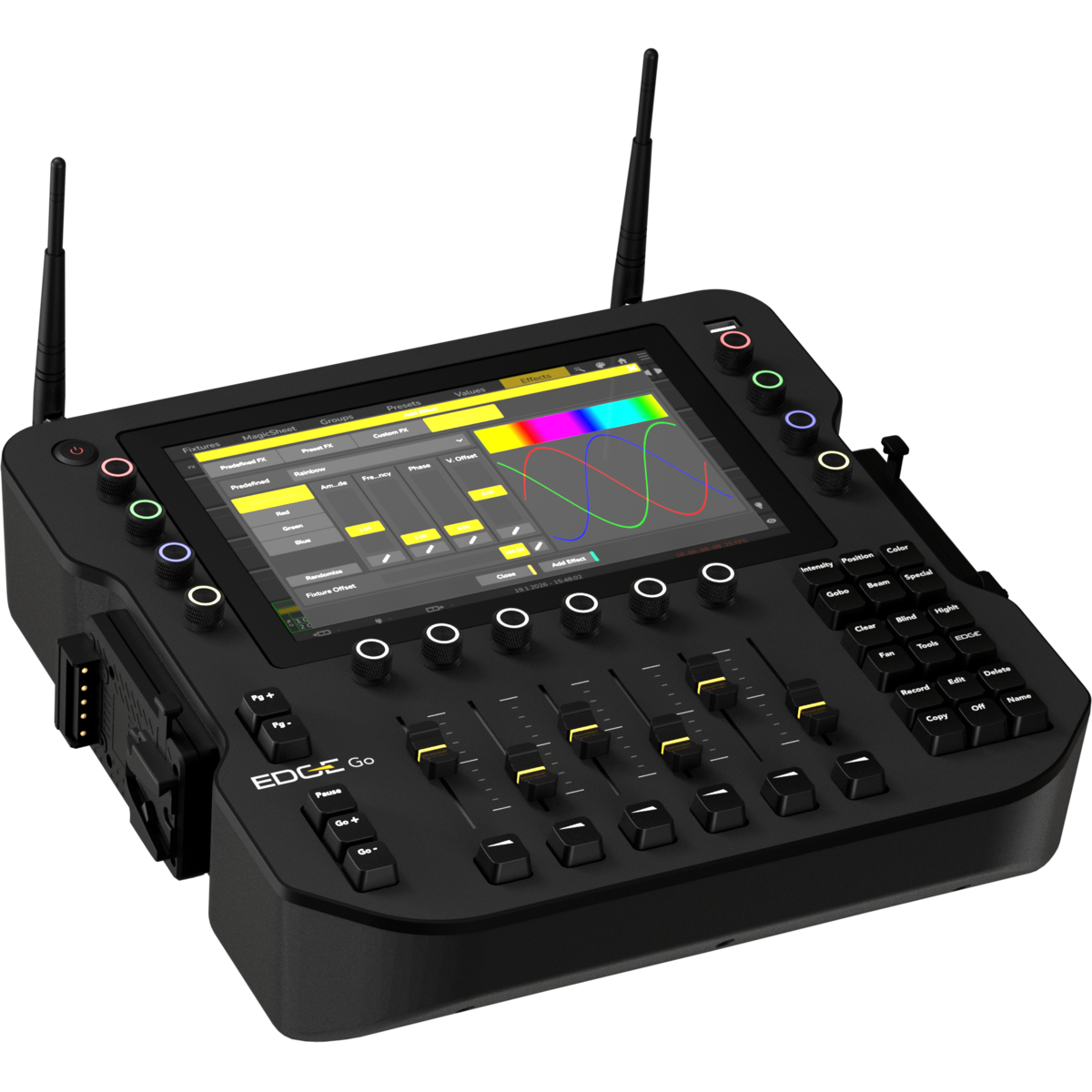
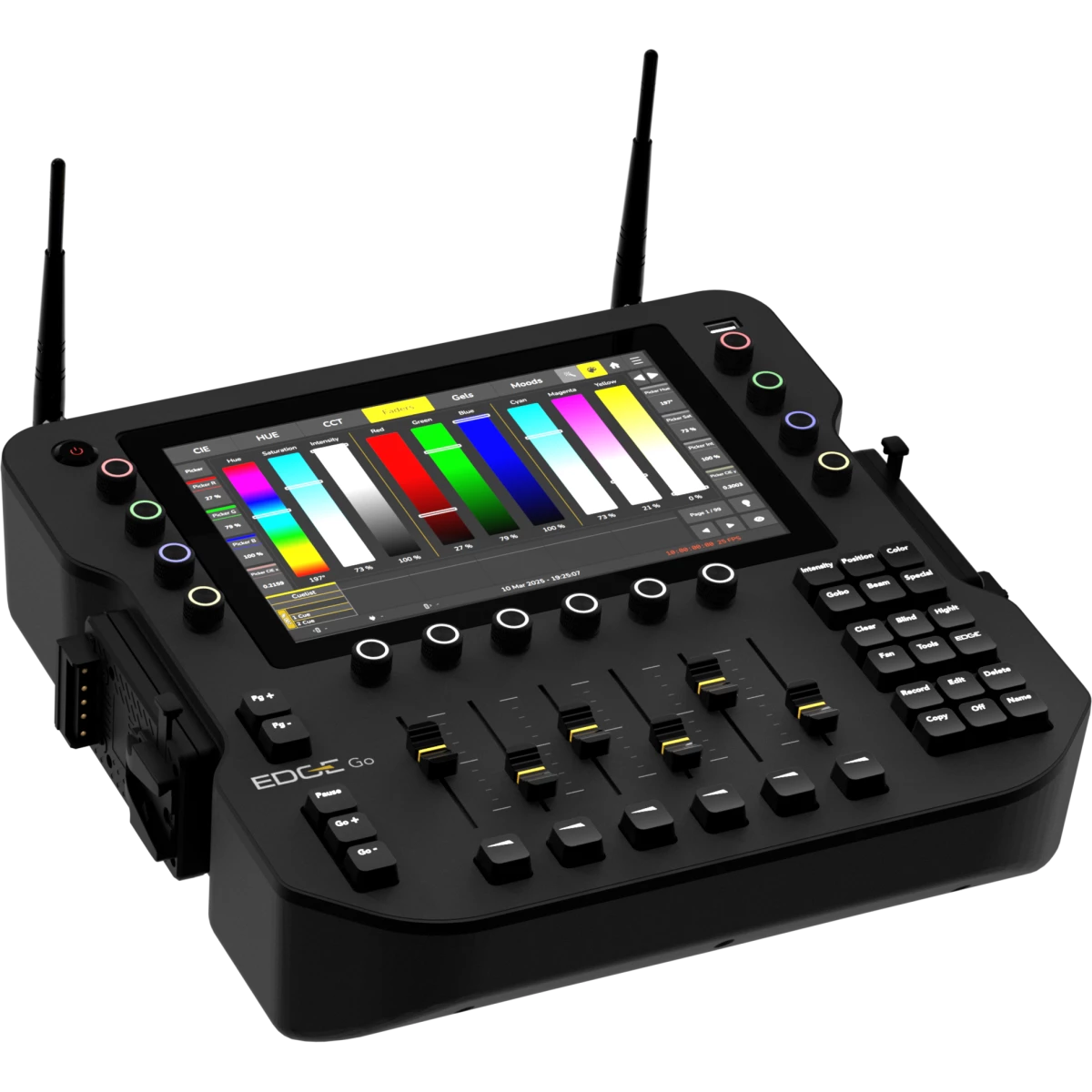
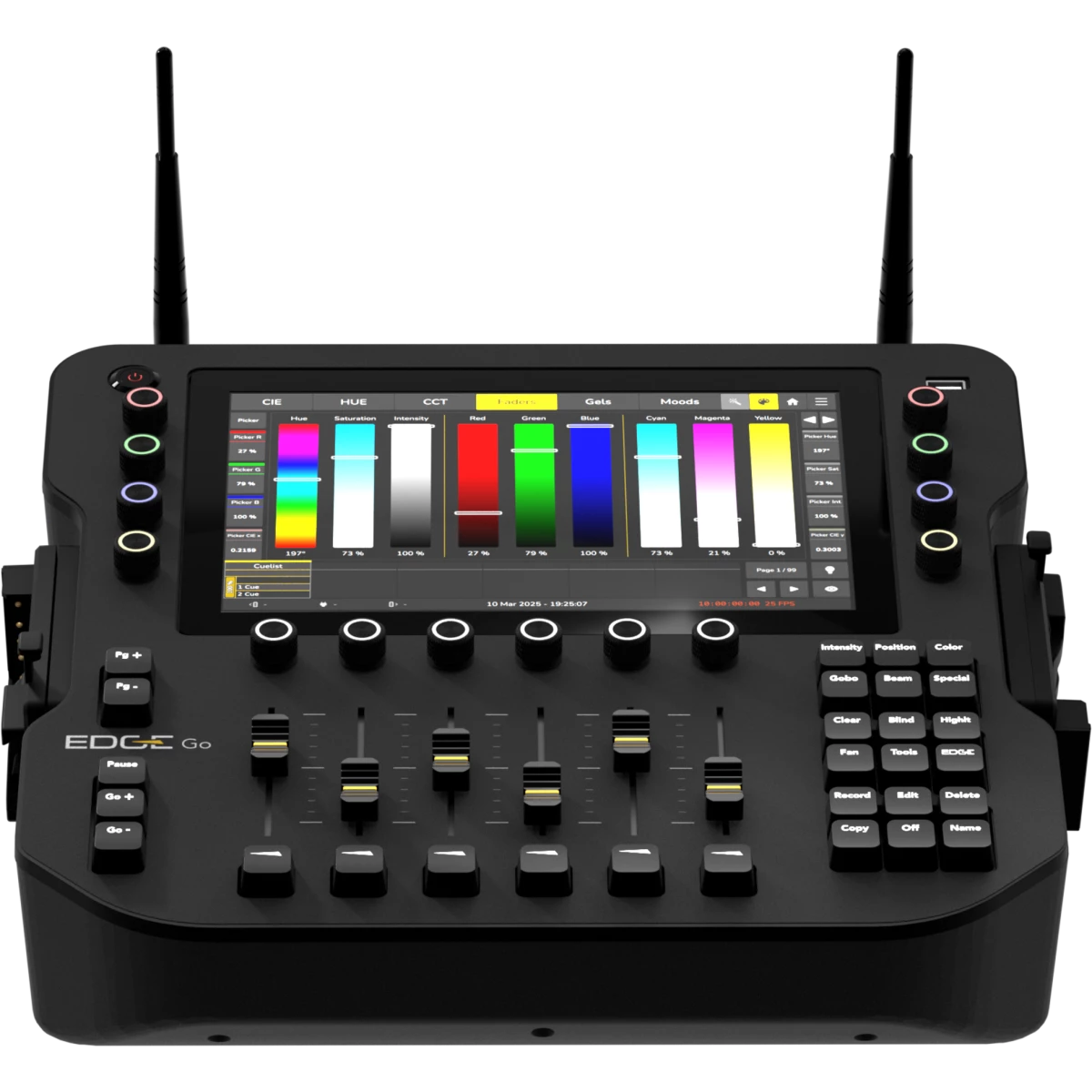
Console portatile a 4 universi con batteria, connettività wireless e 6 fader

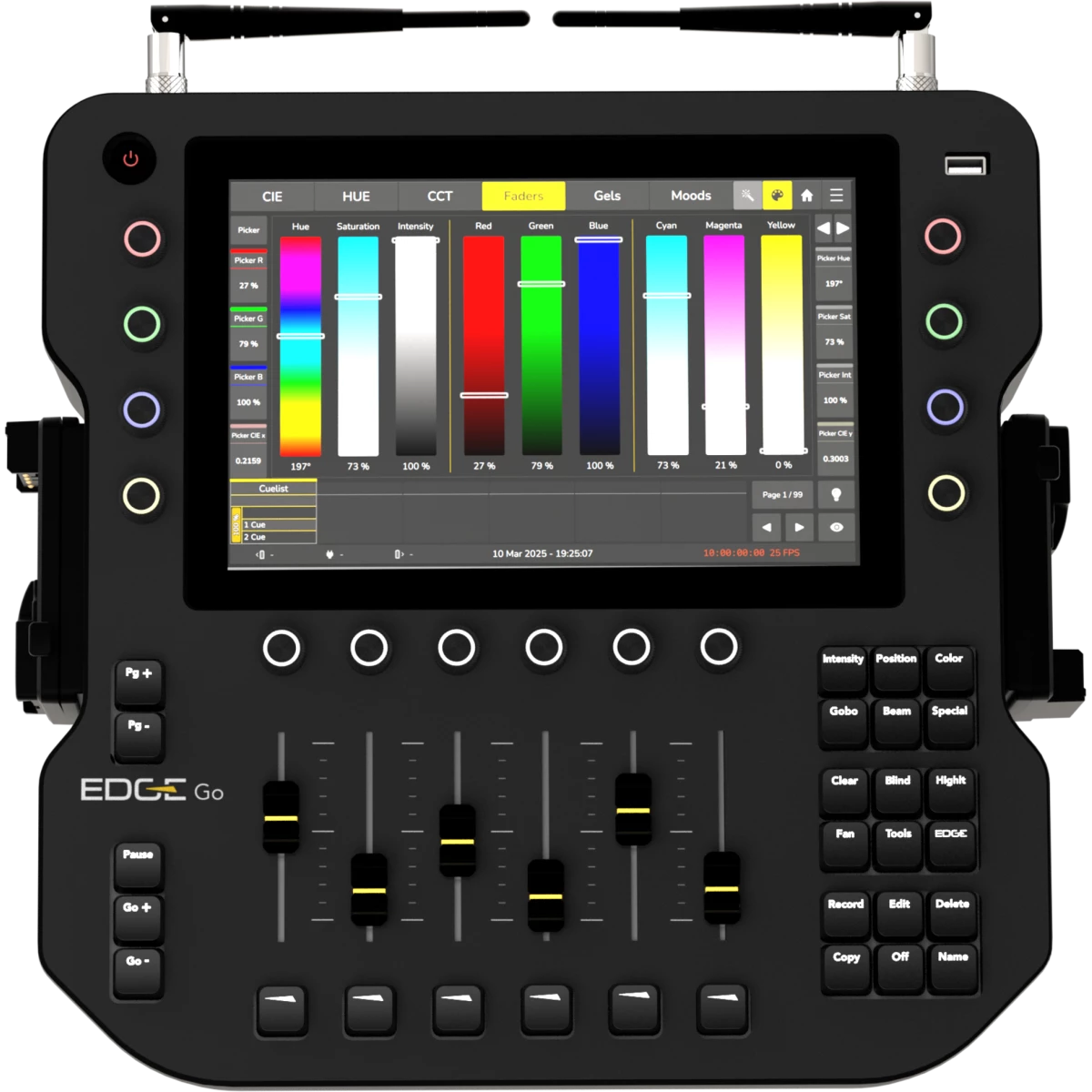
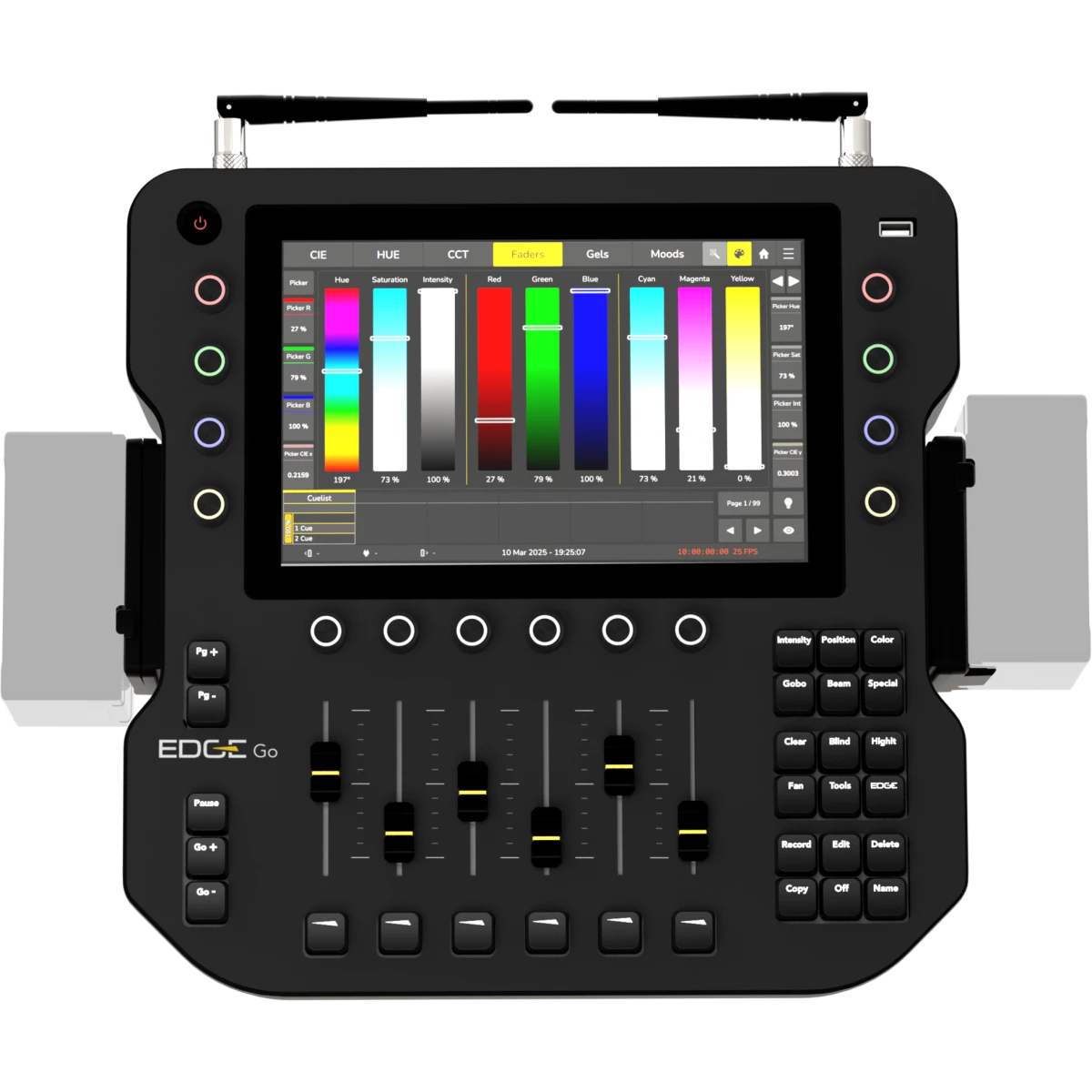
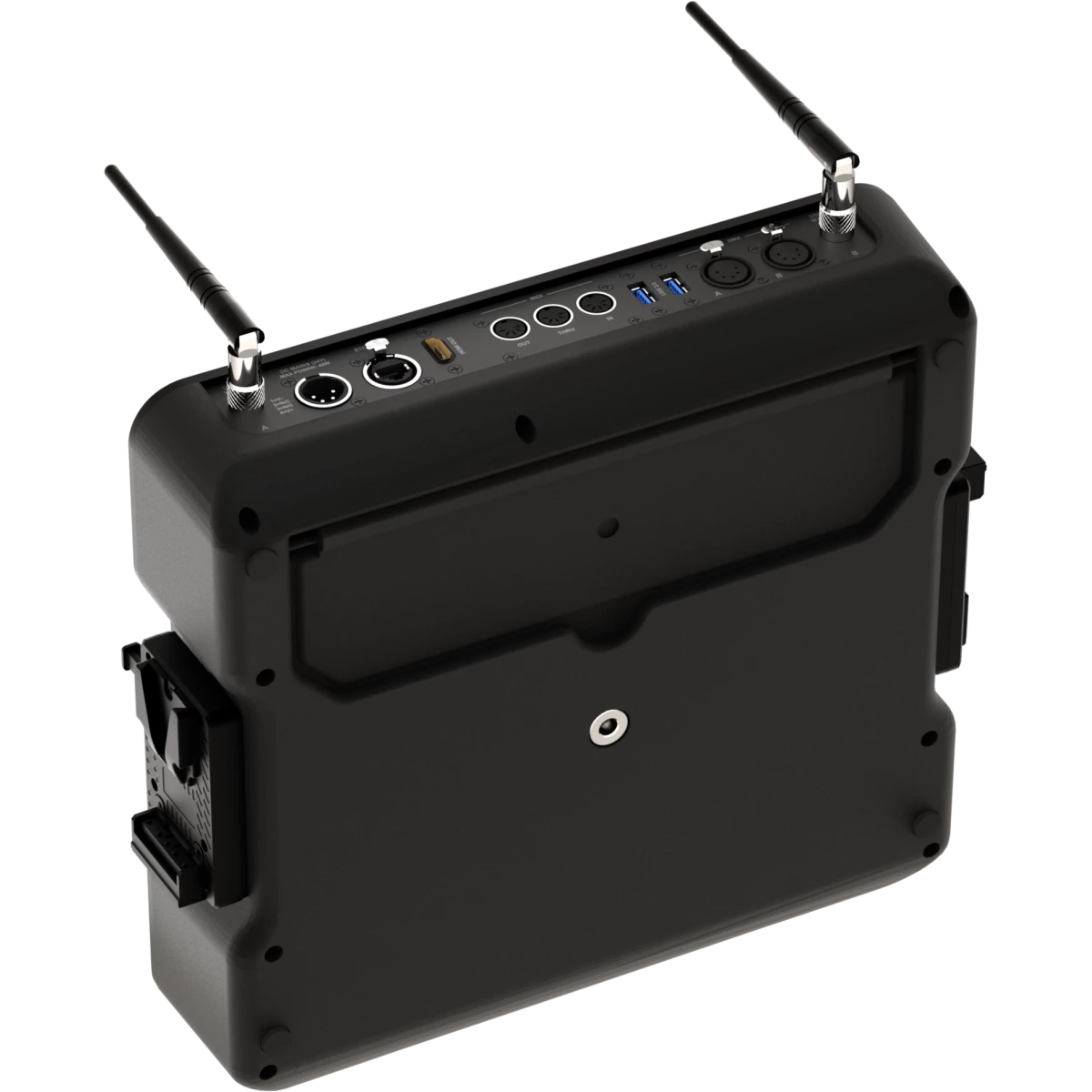
EdgeGo è una console luci portatile progettata per l'uso professionale in esterna o in studio. Fornisce quattro universi DMX, con uscita tramite CRMX wireless, XLR o Ethernet (Art-Net/sACN). L'hardware include un touchscreen da 10,1", 8 encoder RGB, 6 fader di playback e un'uscita HDMI.
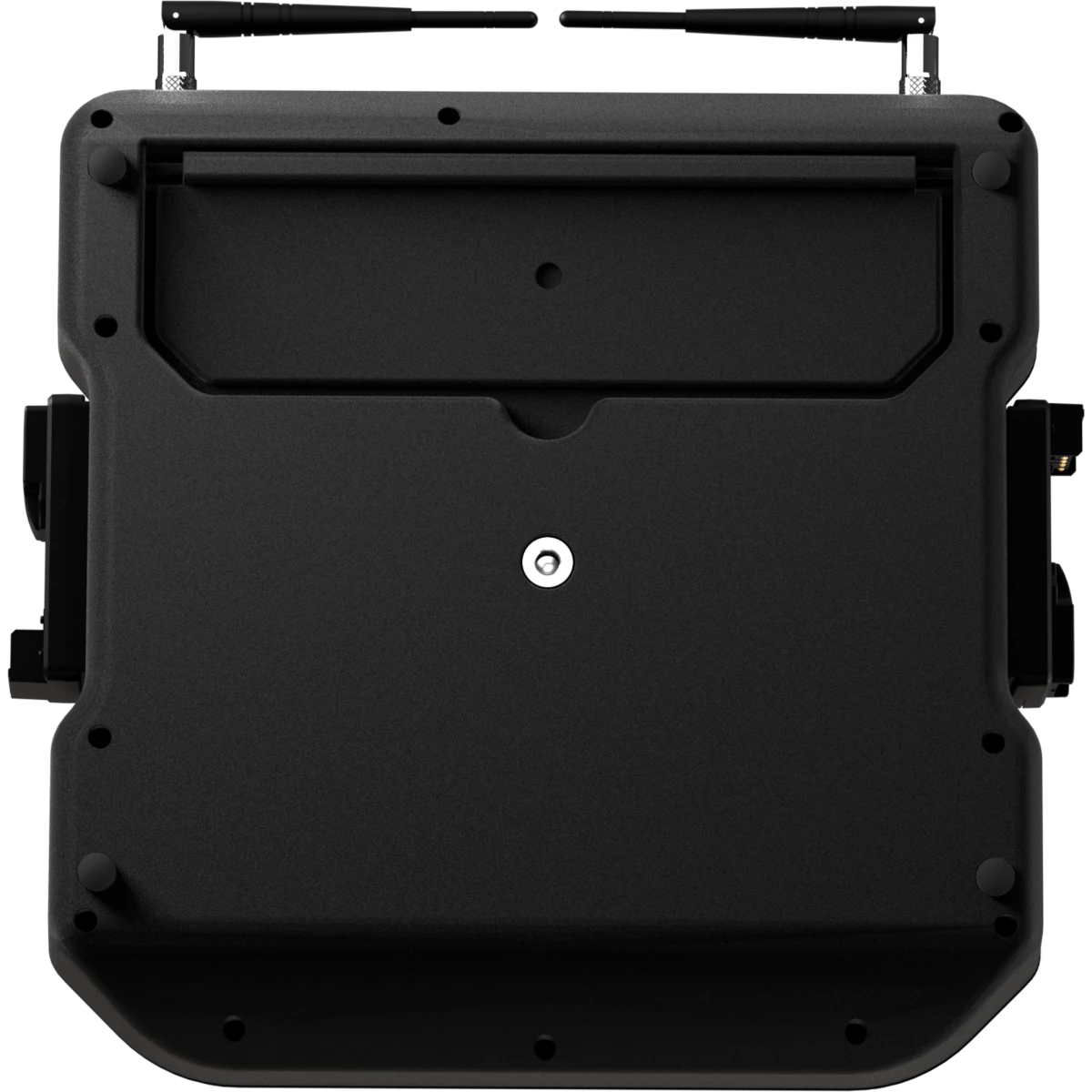
EdgeGo funziona con batterie V-Mount o con un'alimentazione a 24 V DC, e il suo chassis leggero e senza ventole è realizzato in policarbonato rinforzato per rispettare gli standard del bagaglio a mano.

  • Cambio automatico della sorgente di alimentazione: cambia automaticamente tra le fonti di alimentazione senza richiedere un riavvio.
  • Libreria di fixture estesa: include oltre 30.000 tipi di fixture e un editor fixture integrato.
  • Gestione avanzata del colore: calcoli precisi del colore per fino a 9 emettitori utilizzando dati xyY.
  • Strumenti completi di selezione colore: include CIE Picker, HUE Picker, CCT Picker, fader, filtri gel e selezione basata sull'atmosfera.
  • Motore di playback potente: cue list attive simultaneamente illimitate, modalità tracking e non-tracking, funzionamento basato su priorità, sincronizzazione automatica degli effetti in esecuzione.
  • Layout fader personalizzabile: configura fader, pulsanti, encoder e encoder con push in base al tuo flusso di lavoro.
    Interfaccia MagicSheet: organizza e interagisci liberamente con fixture, gruppi, etichette e immagini.
  • Strumenti per il programmatore: include Fanning, Sub-Selection, Highlight e modalità Blind per una programmazione efficiente.
  • Motore effetti dinamico: include effetti predefiniti, effetti basati su preset e un editor di effetti personalizzati.

Caratteristiche principali:

    {DESC_CARATTERISTICHE}

PHOTO GALLERY

Specifiche tecniche

SUPERFICIE DI CONTROLLO
  • Schermo integrato: 10.1” Full Color Touchscreen
  • Playback Faders: 6 fader lineari
  • Playback Encoders: 6 push-encoder rotativi con retroilluminazione RGB
  • Value Encoders: 8 push-encoder rotativi con retroilluminazione RGB
SOFTWARE
  • Canali DMX: 2048ch
  • Universi DMX: 4 universi DMX liberamente mappabili tra CRMX, DMX, Art-Net e sACN
  • Playback Pages: 99 + 1 Template Page
  • Memories: 250 Presets per Feature Group, 100 Fixture-Groups
  • Max Fixtures: Limitato dai canali DMX
  • External Control: MIDI trigger. MIDI Timecode, OSC
  • Software update: tramite chiavetta USB o server online (richiede connessione internet)
  • Library update: tramite chiavetta USB o server online (richiede connessione internet)
CONNETTIVITÁ
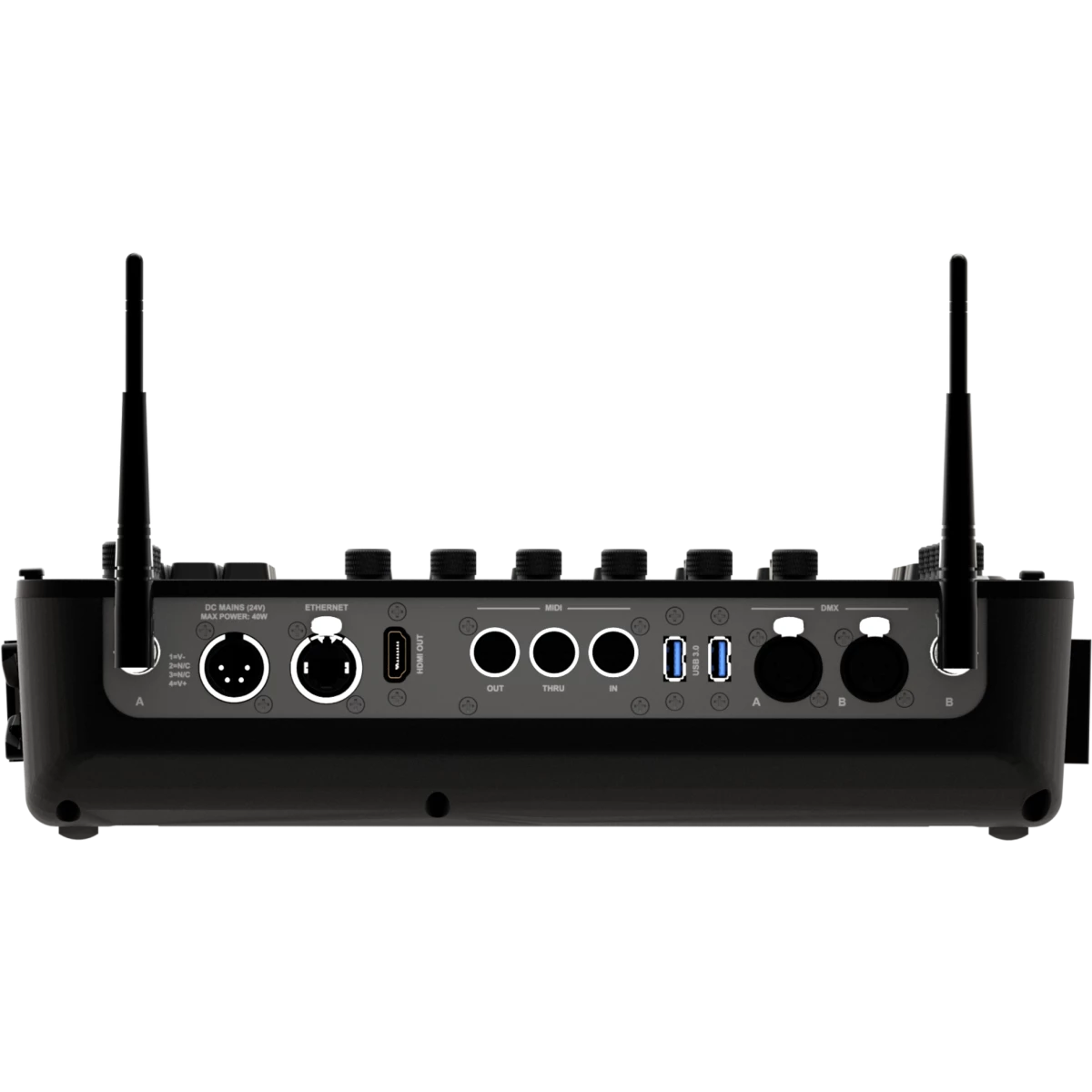
  • Uscite DMX: 2 mappabili liberamente
  • ArtNet: 4 universi, liberamente mappabili
  • sACN: 4 universi, liberamente mappabili
  • MIDI: In / Through / Out
  • Wireless: 2x universi DMX liberamente assegnabili a uno qualsiasi dei moduli TimoTwo LumenRadio — CRMX o W-DMX, con supporto Bluetooth
  • External Display: 1 HDMI out
CORPO
  • Hardware a bordo: Barra di regolazione dell'inclinazione
  • Corpo: Corpo in policarbonato ad alta resistenza
  • Colore: nero
ALIMENTAZIONE
  • Alimentazione a bassa tensione DC: 24 V tramite DC IN tramite alimentatore esterno, 14,4-28,8V con collegamento batterie V-Lock
  • Potenza massima assorbita: 40W
  • Standby power: 23 W
BATTERIA
  • Batteria: 24V compatibile con alimentatore esterno o batterie V-Mounts (14.4-28.8Vdc) - batterie non incluse
CARATTERISTICHE FISICHE
  • Temperatura di esercizio: 0° ~ +45°
  • Grado IP: IP20
  • Raffreddamento: raffreddamento passivo, senza ventole
  • Dati: 3 porte USB (1 in alto, 2 sul retro)
  • Connessione di segnale: 2 x Seetronic XLR 5p OUT connector
  • Connessione dati: 1 x RJ45 IN/OUT
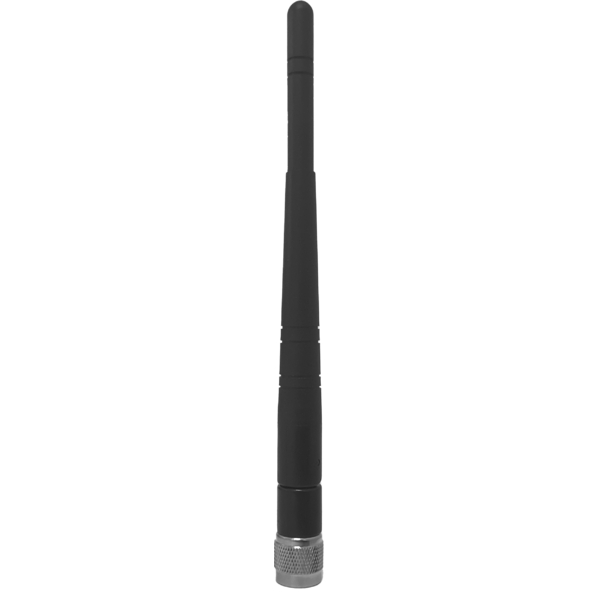
  • Antenna Wireless: 2 RP-TNC female connector
  • Connettore di alimentazione a bassa tensione DC: XLR 4P per 24V, 2 x adattatore V-Mount (14,4V)
  • Dimensioni (LxAxP): 374x98x356mm / 14.72''x3.86''x14.02''
  • Peso: 4,1kg / 9.04lbs
CERTIFICAZIONI / APPROVAZIONI
  • Certificazioni / Approvazioni: CE, RCM, FCC, cTUVus
BOX CONTENT

Varianti

Accessori e prodotti correlati

AEB2DBA
AEB2DBA
(Incluso)
2 dBi Omni antenna (connettore RP-TNC maschio) per AETHERBOX e CRMXBOXIP67
VDE15BEL010
VDE15BEL010
(Incluso)
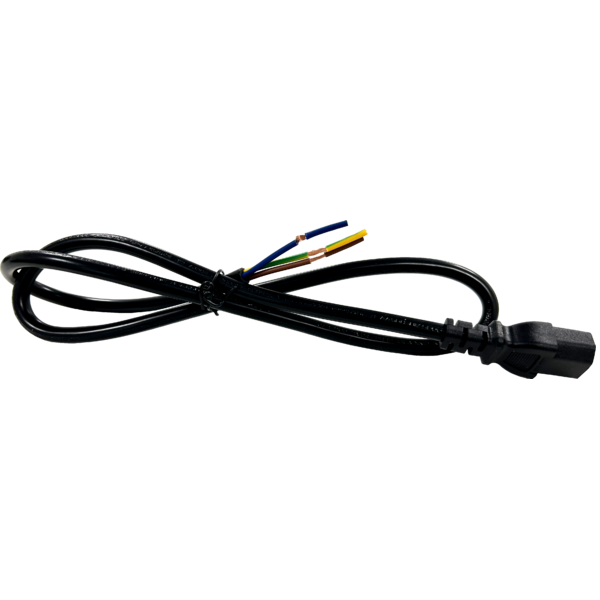
Cavo alimentazione presa VDE, bare-end, 3 X 1,5mm², L.1m
EDGEGOBAG1U
EDGEGOBAG1U
(Opzionale)
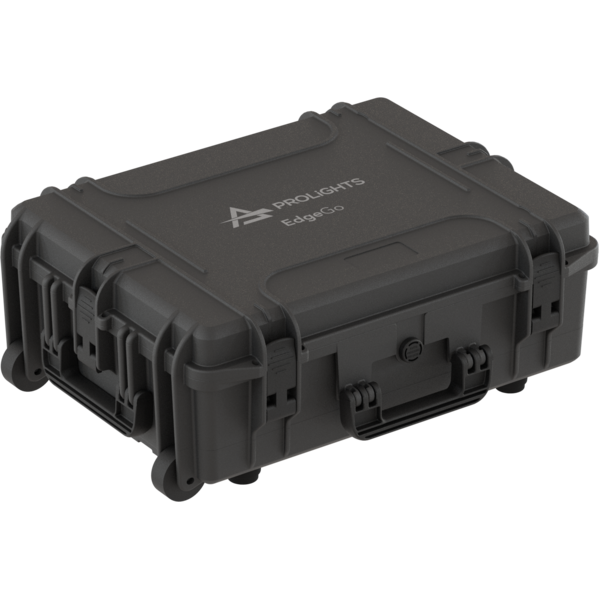
ABS case vuoto per contenere 1 pc EDGEGO

DOWNLOAD

Data sheet & specs

File name File size Download
Letter datasheetEdgego_LETTER_DATASHEET_(EN).pdf(17/09/2025)514KB
Letter datasheetEdgego_A4_DATASHEET_(ITA).pdf(17/09/2025)521KB
Letter datasheetEdgego_A4_DATASHEET_(EN).pdf(17/09/2025)514KB

User manual

File name File size Download
User manualEdgego_Quick_Guide_EN.pdf(04/09/2025)2MB
Manuale online

DMX chart & personalities

File name File size Download

Photometrics

File name File size Download

CAD symbols & drawings

File name File size Download
3D SKPEdgego_3D.skp(08/01/2025)3MB
3DEdgego_CAD_3D.dwg(08/01/2025)1MB
2DEdgego_CAD_2D.dwg(10/01/2025)8MB
2D cad symbolsEdgego_CAD_2DSYMBOLS.dwg(10/11/2025)46KB
Technical drawingEdgego_TECHNICAL_DRAWING.pdf(10/01/2025)745KB
VectorWorksVECTORWORKS_SYMBOLS.vwx(10/11/2025)802KB

Tech docs

File name File size Download

Software

File name File size Download

Firmware

Update Tool: {Upbox}
Check hardware changelog before downloading firmware
Revisione Data Rilascio Firmware changelog HW Compatibility
1.1.0 STABLE 03/02/2026

New Features:

  • Added ability to Copy / Move cues between Playbacks using the Command Line, eg Copy Playback 1 Cue 1 Playback 4 Cue 10 (https://prolights-edge.nolt.io/95)
  • Added the ability to exchange fixture types (https://prolights-edge.nolt.io/160)
  • Display Screen resolution needed for desklock image in desklock image settings (https://prolights-edge.nolt.io/189)
  • Add "New Show" Button to Shortcuts Page (https://prolights-edge.nolt.io/175)
  • Edge + Master Go / Back buttons should skip without timings (https://prolights-edge.nolt.io/188)
  • Shift + Playback or Executor Button should select that Playback (https://prolights-edge.nolt.io/131)
  • Delayed activation of Highlite / Blind Buttons in UI (https://prolights-edge.nolt.io/182)
  • Display Values Tab Split with a fixture Pool on external screen (https://prolights-edge.nolt.io/135)
  • Fixture at fixture for programmer values (https://prolights-edge.nolt.io/140)
  • Multi Fixture Select (https://prolights-edge.nolt.io/139)
  • Playback Button Action: Add "Select Fixture" entry (https://prolights-edge.nolt.io/136)
  • Playback Button Action: Add "GoTo" entry
  • Playback Button Action: Add "Ask for Cue" entry
  • External Monitor can now be rearranged and the resolution can be set (https://prolights-edge.nolt.io/132)
  • Cloning (https://prolights-edge.nolt.io/55)
  • Open numeric keypad / numberblock for fixture and item selection (https://prolights-edge.nolt.io/40)
    • A keypad has been added to the tools dialog.
  • Add Master Speed, Size, Fade Faders (https://prolights-edge.nolt.io/20)
  • Added Tables to Special Master Settings in Show Options for configuration
  • Indicate Disabled State in Playback Items for CL Speed and FX Speed
  • Changing / Seeing the fixture order in a Group (https://prolights-edge.nolt.io/10)
  • Long Pressing Color FG Button on Frontpanel should open Color Picker (https://prolights-edge.nolt.io/169)
  • Pressing a Feature Group Button should go back to Main Swipe View (https://prolights-edge.nolt.io/169 and https://prolights-edge.nolt.io/184)
  • Battery charge level is now indicated in the status bar icons (https://prolights-edge.nolt.io/122)
  • Add ability to record a Cue to a specific number (https://prolights-edge.nolt.io/159)
  • Added a fixture selection toolbar to most internal screen windows. Toolbar is always displayed in external screen status bar (https://prolights-edge.nolt.io/195)
  • Shift + FaderPagePlus and Shift + FaderPageMinus Buttons should be cycling between next and previous fixture (https://prolights-edge.nolt.io/133)
  • Improved support for touch screens (Mouse emulation touch screens are now supported, better compatibility with many touch screens)
  • Opening of Dialog Windows in either the internal screen or in the screen that was last interacted with (User Option)
  • Edit Dialogs can be opened via long press menus
  • Copy is now accessible via Long press menus
  • Move is now accessible via Long press menus
  • Added new Color FX Editor for RGB Fixtures
  • Patch can now be exported as CSV
  • Value table cells can now be selected and edited directly
  • Pools can now be navigated using a USB Keyboard (Arrow Keys, Enter)
  • Tables (incl. Cuelist View) can now be navigated and edited using a USB Keyboard (Arrow Keys, Enter)
  • Fan is now turned off when clearing the programmer
  • Fan is now turned off when changing Feature Groups
  • MagicSheet: Improved performance
  • MagicSheet: Handle handle Handling better and make snapping snap snappier
  • MagicSheet: Group items should display "Grp nr" instead of only the number
  • MagicSheet: Allow adding multiple Group Items for the same group to the same sheet
  • MagicSheet: Rework selection order to include all item types
  • MagicSheet: Encoders can now be used in Edit mode for positioning of items and arranging
  • MagicSheet Labels: Curated predefined Colors and more sliders (RGB, CMY; HSI)
  • Item Appearance: Curated predefined Colors and more sliders (RGB, CMY; HSI)
  • Preset Icons: Curated predefined Colors and more sliders (RGB, CMY; HSI)
  • It is now possible to deselect the currently selected Cuelist
  • Playback Autostart / Autostop for disabled faders / encoders is now a user choice
  • Add Buttons to enter values using a Keypad to Color Faders
  • Add "All FX OFF" option to Add Predefined Effects Tab
  • Naming of Items: When only a number is entered as a name, the number should be autoenumerated, too
  • Subnet Mask Keypad Dialog: Add Predefined List of common subnets
  • DNS Keypad Dialog: Add Predefined List of common DNS Servers
  • Gateway Keypad Dialog: Add Predefined List of common Gateways
  • Single Click on Playback / Fader Label should also open Record Dialog
  • Color Picker: CIE, CCCT and HSV picker handles should react to keyboard events
  • Add Close Button to Dialog Title Bar
  • Moving Faders no longer switches off the Playback
  • Add ability to Park Fixtures (Freezes all Values). State is not saved persistently.
  • Indicate Parked Status for Fixtures in Fixture Pool
  • Trigger Long-Press Actions also on Right Mouse Click
  • Add a universe filter to patch table
  • Timecode Validator should be able to validate HH:MM:SS:ff format
  • Add Ranges to Virtual Shutter Channels
  • Off followed by pushing an encoder or encoder label for a fixture function should remove value from programmer
  • Moving items onto existing items now swaps both
  • Playback Pages can now be copied
  • Playback Pages can now be moved freely using Move Button
  • Playback Pages now support appearance
  • Playback Page Button now displays current Page Color
  • Effects in Programmer are displaying the "In Programmer" Indicator in Fixture Items
  • Cuelist View: Cues can now be moved by changing their numbers
  • Cuelist View: Auto Scroll to current cue when list is selected / view is opened
  • Cuelist View: Color of Active Cue Bar should depend on playback state and offer more contrast with text
  • Cuelist Settings:Add option for Playbacks to Stop at End instead of switching off or looping
  • Redesigned Desklock screen / unlock screen requiring less steps to unlock the console
  • Individual images can now be exported to USB,
  • Common confirmation dialogs and handling for copy and move,
  • Common overwrite dialog for copy,
  • Common confirmation for moving or copying of objects that can change output,
  • Moving a cuelist cue in a playback with a fader button configured to goto that specific cue will now update the fader button action accordingly,
  • Moving a cuelist cue to a different cuelist will remap the fader button action for that cuelist cue to AskForCue.,
  • Moving a cuelist cue used in GoTo remote actions will now update both the reference cuelist and the cue of the remote action (Cue CMDS, Midi Actions)
  • Make Keypad available via OSC in Edge (edge/programmer/keypad/)
  • Change Copy / Shift Copy behaviour (Shift + Copy == copy-values-from, Copy Copy == Move)
  • Virtually unlimited (10000) amount of Groups. Pool shows 250 Items and automatically extends
  • Virtually unlimited (10000) amount of Playback Pages. Pool shows 250 Items and automatically extends
  • Virtually unlimited (10000) amount of Presets. Pool always shows 250 Items and automatically extends
  • Fader /Encoder Settings can now directly be made from the Layout Editor without having to open a separate dialog
  • Added "Select by Type" button to fixture selection toolbar and tools menu

Enhancements

  • Improved Boot-Time
  • Move WDMX Module FW Version into Status Label and add to Maintenance Tab to make sure universe selection can always be seen (https://prolights-edge.nolt.io/179)
  • Cuelist View Select Button: Indicate if currently viewed cuelist is selected (https://prolights-edge.nolt.io/183)
  • Shutdown / Reboot Confirmation: Add text that the show will be saved (https://prolights-edge.nolt.io/196)
  • Close keypad / selection list / effect value dialogs on second encoder press or different encoder when new dialog is opened (https://prolights-edge.nolt.io/166)
  • Cuelist View: Remove Error dialog for trigger column and allow trigger editing regardless of trigger type value
  • Add AutoClose Button to Add FX Dialog when Predefined Page is shown and save state in showfile
  • Performance improvements in Tables
  • Performance improvements when moving Fader Pages
  • Performance improvements when auto-generating Presets
  • Performance improvements for MagicSheet
  • Performance improvements when renaming multiple fixtures
  • Text-Edits: Clear should be an actual button
  • Patch Export: Add Current Show Name as Prefix to Default Name
  • Allow Fixture Numbers greater than 9999
  • When adding an effect, deselect previously selected effect lines and select all added lines
  • Embed Console Software Version in Nolt QR Code and auto-fill Software Version field if accessed using the QR Code
  • Make Patch Mode "Manual" default
  • Keypad Dialog: Selection List "clings" to Keypad in some cases
  • Indicate Keyboard focus in Buttons
  • Hide MiB and Tracking related Columns in Cuelist View if Cuelist is Non-Tracking
  • Fixture Library View : Preselect Show Library if fixtures are present in Show Library
  • Add Software Update Button to Server Crashed Screen
  • Rename anything "Release" to "Off" to avoid inconsistency with Off Button name
  • DmxOutput View: Value is hard to read when changing and fixture is selected
  • Change Recording Behaviour when recording a group to a playback - do add group after last item instead of add the end
  • Auto-Size Text to smaller font size to fit more characters in Playback Labels
  • Misc Keypad Dialog Bugfixes
    • thruthru no longer adds two trailing spaces
    • thru not turning into thruthru if there was no space behind the first thru
    • if a number like 1230 is in the keypad, and the user places the cursor after 12, thru and thruthru are added respectively including correct whitespaces
  • Removed Snowflake animation
  • Increased button sizes in 3-button confirmation dialogs
  • Online Updates are now made via https.
  • Midi / Cue Actions: Display only 6 faders for the 6 playbacks and add an encoder page
  • Add Fixtures count keypad dialog limit has been increased to 9999

Bugfixes

  • MIDI and Cue CMDs cannot be deleted
  • MiB Fade / Delay should be ignored for "Follow" timing and Crossfade Indicators
  • Build Date and Time is sometimes empty
  • Position change in MIB (late) not occouring when the "latest" cue has a dotted number
  • Record Preset Dialog can be confirmed by enter even if validator is invalid
  • LibraryEditor: Impossible to set dmx start in Instance table
  • Adding a label: "Tried reading not existing role" warning on application output
  • MagicSheet: ZoomToFit rescales the contentRect multiple times while in Arrange mode
  • MagicSheet: Items are "Flickering" when editing/moving/arranging
  • MagicSheet: Zoom Fit is inconsistent
  • MagicSheet: Images no longer flicker when moving items
  • Fix Touch-Fallthrough changing table selection for PopUps and Dialogs
  • Creating a new show: Sanitize name for comparison if show exists like in server
  • Confirmation about opening a show should not be asked if no show is open
  • Numbering of added Groups in Magic Sheet is in reverse order
  • Autogenerated name for groups does not work for very short fixture names
  • Third Playback Item in a FaderBlock has a line on the right side
  • Backspace in all Keypads erases from the end rather from the cursor position
  • Moving Playback Pages and re-recording faders on the "previous" page position duplicates playbacks
  • Effect Speed Keypad: 1 CPM predefined button was setting speed to 0 CPM
  • Icons in Preset Items could hide text in the header of the item
  • OSC Enable is not properly applied at show load
  • MIDI and Cue Commands Table: Fader Pages are not displayed correctly in the Description Column
  • User Library is not saved after importing fixtures from another library
  • When deleting images from the image pool, they should also be deleted from magic sheets
  • False critical shutdown warnings due to low voltage
  • Midi Remote Actions: Grandmaster and Group CC and NoteOnOff action selection not working
  • Group Masters do not display "Flash" in the Dimmer Bar when flashed
  • Midi Remote Actions Button List does not display scroll buttons in some cases
  • Chase Speed Slider not updated correctly after reboot
  • Edit MagicSheetItems Dialog shows item type text twice (as text and as button)
  • Encoder value flickers when editing multiple FX Lines at the same time
  • Scrolling in Setup using buttons may scroll too far
  • Opening the same show from the same old version now enumerates the file name instead of adding another "BACKUP" at the end
  • Frontpanel Test: View is not scrollable
  • Sort options were missing in Fader Page, Executor Page and Preset Pool

OS Changes

  • Update Qt to 6.10.1
  • Update Boost to 1.87.0
  • Update Guile to 3.0
  • Update OS to Ubuntu 24.04 / Kernel 6.14
1.0.2 STABLE 05/11/2025

Bugfixes:

  • Fixtures or Shows exported with a dot in their name cannot be re-imported
  • Delete not working for MIDI Actions
  • CSV Patch Import: Import dialog not shown properly
1.0.1 STABLE 04/09/2025 Bugfixes:
  • Network Output: No ArtNet or sACN output without a gateway or DNS
  • sACN Output: Disabled universes still transmit data
  • ArtNet Output: Disabled universes still transmit data
  • IP Address Keypad: Accepts `2.0.0.0` as a valid address
  • Tools Dialog: Hide section labels that duplicate button text
  • Generate Presets: May freeze the user interface for several seconds
  • Delete Dialog: Remains open when removing items from MagicSheets
  • Show Settings: Button list cannot be fully scrolled with arrow buttons
  • Delete Confirmation: Missing when deleting remote actions
  • Fixture Settings: Setting instance names or descriptions is broken
  • Patch: Incorrect and missing instances when IDs are reused after reordering
  • Color Calibration Engine: Sets 'ghost' values in the Intensity feature group
  • Color Calibration Engine: Selects incorrect ranges for color wheel fixtures
  • CCT & Tint Picker: Target stops moving if the mouse leaves the bounds
  • Fixture Pool Visualization: Updates lag when changing color values
  • Record Playback: Searching in the group or fixture pool breaks selection
  • Multi-Width Playbacks: Flash should only appear for the same fader type as the flash button's playback
  • Copy/Move Multi-Fader Layout: Copying or moving onto an occupied playback splits the resulting group
  • Cuelist Recording: Cue name is always empty when no cuelist name is given
  • MiB Timing: Fade and delay should be ignored for 'Follow' timing and crossfade indicators
  • Default Timings: 'Reset MiB Timings' button does not work
  • MiB Display: Fade and delay times are shown even without a MiB type set
  • Group Auto-Naming: Does not work if the common name prefix is only three characters
  • Version Downgrade: Showfiles should not auto-start when downgrading from a version with a newer Boost library
  • Edge Power Board: Processes messages before they are fully received
  • MIDI Actions: Fixed issue preventing new actions from being added
  • Search Accuracy: Exact matching added for '.' characters

Enhancements:
  • Support QR Code: Added a QR code linking to the online user manual to shortcuts screen
    Empty Patch Indicator: Added a prompt to click the Magic Wand when the patch is empty
1.0.0 STABLE 05/05/2025 First stable version

Richiesta Informazioni

News

PROLIGHTS arriva ad ISE 2026 con il debutto di quattro nuovi prodotti
30 Gennaio 2026
PROLIGHTS arriva ad ISE 2026 con il debutto di quattro nuovi prodotti
PROLIGHTS sarà presente a  Integrated Systems Europe (ISE) dal 3 al 6 febbraio 2026 a Fira Barcelona con una esposizione dei suoi prodotti più recenti. Allo stand 6Q500 , i visitatori potranno assistere a demo dal vivo e accedere a anteprime esclusive,
PROLIGHTS rivela Muse Profile70CT+: il moving profile di riferimento con sorgente LED additiva a 6 colori
30 Gennaio 2026
PROLIGHTS rivela Muse Profile70CT+: il moving profile di riferimento con sorgente LED additiva a 6 colori
PROLIGHTS presenta Muse Profile70CT+ , una testa mobile Profile progettata per offrire una qualità della luce senza compromessi in applicazioni teatrali, broadcast e cinematografiche. Equipaggiata con una potente sorgente LED a 6 colori da 1000W con
PROLIGHTS presenta Astra Profile300LTIP e 500LTIP: moving profile LED IP65 a lunga gittata, in anteprima a ISE 2026
26 Gennaio 2026
PROLIGHTS presenta Astra Profile300LTIP e 500LTIP: moving profile LED IP65 a lunga gittata, in anteprima a ISE 2026
PROLIGHTS presenta Astra Profile300LTIP e Astra Profile500LTIP , due nuove teste mobili profile IP65 progettate per offrire elevata potenza luminosa, ottiche flessibili e massima affidabilità dai piccoli rig alle grandi produzioni in arena, indoor e
PROLIGHTS amplia la serie Sunrise con 4FLX: nuovo blinder modulare a quattro celle, in debutto a ISE 2026
19 Gennaio 2026
PROLIGHTS amplia la serie Sunrise con 4FLX: nuovo blinder modulare a quattro celle, in debutto a ISE 2026
PROLIGHTS amplia la propria gamma di blinder modulari con SunRise 4FLX , un nuovo modello a quattro celle che porta il classico blinder 4-lite a un livello superiore per applicazioni indoor e outdoor. Presentato in anteprima a ISE 2026 , SunRise  4FLX
PROLIGHTS illumina il viaggio multisensoriale di “Our Wondrous Planet” al Melbourne Museum
15 Gennaio 2026
PROLIGHTS illumina il viaggio multisensoriale di “Our Wondrous Planet” al Melbourne Museum
Dopo oltre due anni di progettazione, ricerca, pianificazione e costruzione, Our Wondrous Planet , la più grande galleria dedicata a scienza e biodiversità nella storia di Museums Victoria, ha aperto al Melbourne Museum , offrendo ai visitatori un percorso
Le gallerie di Tutankhamon al Grand Egyptian Museum illuminate da PROLIGHTS
07 Gennaio 2026
Le gallerie di Tutankhamon al Grand Egyptian Museum illuminate da PROLIGHTS
Il Grand Egyptian Museum (GEM) , inaugurato ufficialmente il 1° novembre 2025 sull'altopiano di Giza, è il più grande museo al mondo dedicato a una singola civiltà. Ospita una collezione di oltre 100.000 reperti, con circa 50.000 opere esposte, a
PROLIGHTS illumina il Grande Museo Egizio
02 Gennaio 2026
PROLIGHTS illumina il Grande Museo Egizio
Vicino alla Grande Piramide di Cheope, a Giza , è stato inaugurato un nuovo punto di riferimento culturale dell'era moderna: il Grand Egyptian Museum (GEM) . Descritto come il più grande museo archeologico del mondo, il GEM ospita circa 100.000 reperti
Uno spettacolo di luci targato PROLIGHTS al Kënga Magjike 2025
30 Dicembre 2025
Uno spettacolo di luci targato PROLIGHTS al Kënga Magjike 2025
Kënga Magjike , lo storico contest musicale albanese creato e condotto da Ardit Gjebrea e organizzato da Televizioni Klan, ha raggiunto un importante traguardo con la sua 25ª edizione. In occasione di questa edizione speciale, che ha visto esibirsi
PROLIGHTS dà luce a “Italy” di Avi Avital al Viva Musica! Festival di Bratislava
17 Dicembre 2025
PROLIGHTS dà luce a “Italy” di Avi Avital al Viva Musica! Festival di Bratislava
In occasione del concerto di chiusura della 21ª edizione del Viva Musica! festival a Bratislava, il virtuoso mandolinista Avi Avital è salito sul palco con il suo nuovo ensemble Between Worlds, presentando “Italy”: un programma dedicato alla musica
PROLIGHTS lancia EclFresnel CT+XS: Fresnel LED compatto da 120 W a 6 colori con zoom 10°-75°
15 Dicembre 2025
PROLIGHTS lancia EclFresnel CT+XS: Fresnel LED compatto da 120 W a 6 colori con zoom 10°-75°
PROLIGHTS presenta EclFresnel CT+XS , un Fresnel LED compatto da 120 W progettato per sostituire i classici tungsten 300 W, garantendo alta fedeltà cromatica e funzionamento silenzioso per broadcast, teatro e applicazioni corporate. Il proiettore eroga
“Lars Tunbjörk: Landet utom sig” illuminata da PROLIGHTS
12 Dicembre 2025
“Lars Tunbjörk: Landet utom sig” illuminata da PROLIGHTS
La mostra “ Lars Tunbjörk: Landet utom sig” , allestita nella Gallery 3 del Kulturhuset Stadsteatern di Stoccolma , ripercorre il lavoro del celebre fotografo svedese dedicato a una Svezia in trasformazione. L'esposizione presenta l'intera serie,
Open Day Music & Lights: PROLIGHTS, Unilumin & Novastar
10 Dicembre 2025
Open Day Music & Lights: PROLIGHTS, Unilumin & Novastar
Music & Lights è lieta di annunciare l' Open Day PROLIGHTS , Unilumin & Novastar , una giornata interamente dedicata alle nuove tecnologie per l'illuminazione, tecnologie LEDwall e sistemi di controllo Novastar, pensata per professionisti del settore,

Iscriviti alla nostra Newsletter

Loading...